Subly / Nov 2025 – Feb 2026
Audio description is the spoken track that describes what happens on screen. Subly sold accessibility to companies working to a legal deadline, and this was the last piece missing. I owned it end to end.
The problem
The product already had captions, transcripts, and an analyser that checked a video against the standard and listed what was still missing. It covered most of it.
The analyser. Checks a video against the standard and lists what is missing. For the customers who needed the whole standard, it kept listing the same thing.
The suite as it stood. The product was already naming its own gap to the customer.
Every other piece can be checked. A caption is right or wrong against the audio, and anyone can hear that. Audio description is a writing job. Someone decides what matters on screen, in what words, in the gaps the dialogue happens to leave. Two people describing the same shot write different things and both can be right.
So the person buying it had no way to tell whether they had bought something good.
The timing was not an accident. The European Accessibility Act had just come into force, with ADA Title II, the ACA and AODA doing similar work elsewhere. Subly had closed self-serve, so every customer arrived through a sales call.
Doing it by hand means a writer, a voice artist and a mix. Subly’s own published figure for the automated version is up to seven times cheaper.
Who it was for
The move to B2B changed who was on the other end, and it was not who the product had been built for.
A company of several thousand people would run accessibility compliance with a small team, one to four people, and the work usually landed on one or two of them. They were not accessibility specialists and they were not video editors. They had been handed a regulation and a date.
Subly’s own published case studies say the same from the customer side. A university working to ADA Title II: “We needed a partner who could show us exactly what was required and help us fix it at scale.”
Sometimes the work went to an agency instead. An agency knows video. It does not know the regulation any better than the customer does.
How we worked
There was research on the customer. There was none on how anyone would use this, and we chose not to wait for it. The company was too small for analytics to conclude anything and small enough to talk to users constantly, so the beta was the research.
Two or three interviews per release, with the people who would actually run it. Hotjar for where they stopped. And sales demos, which were unmoderated first use with a stranger.
What we tried, and what happened to each of them.
Release one / November
Replaced
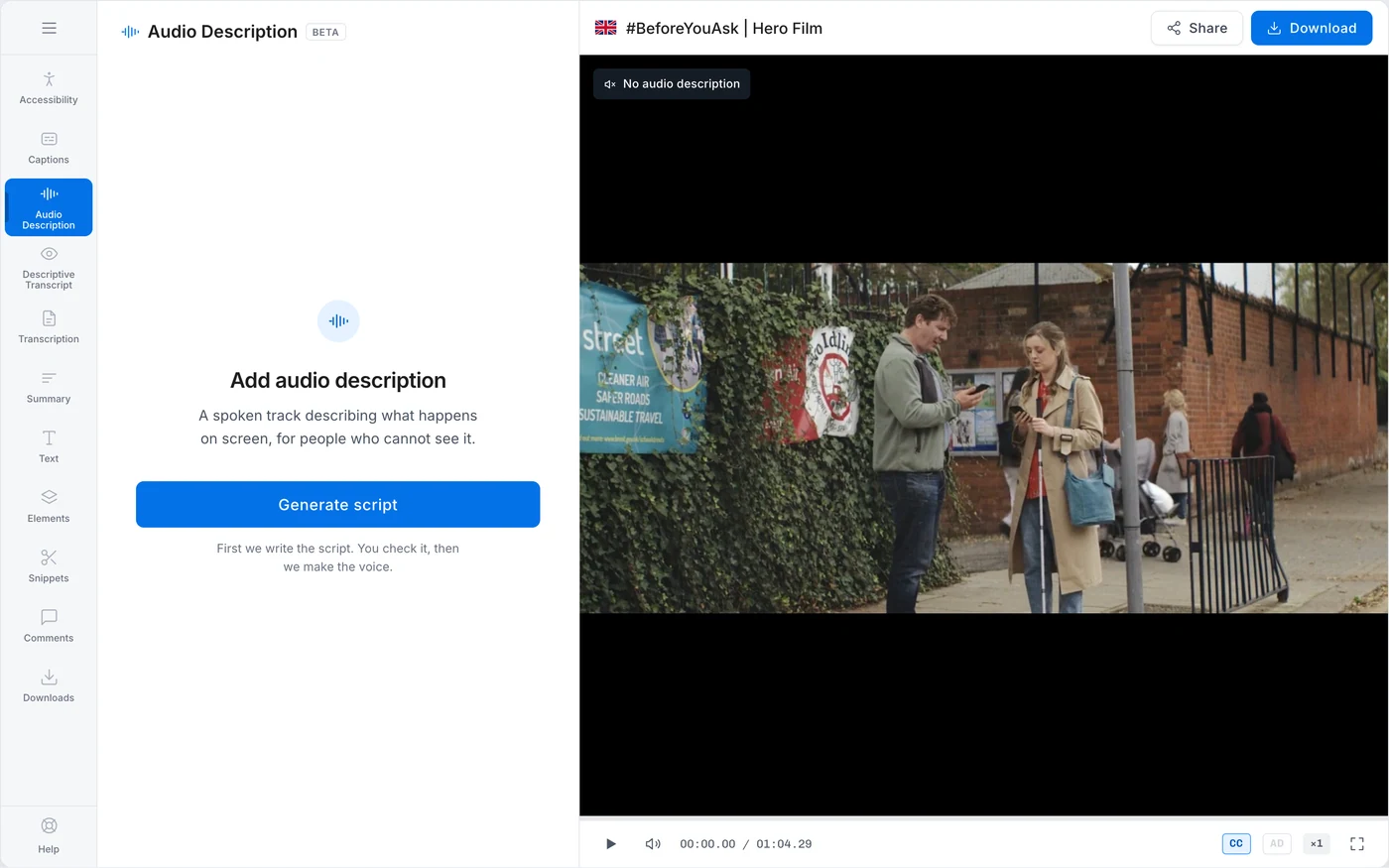
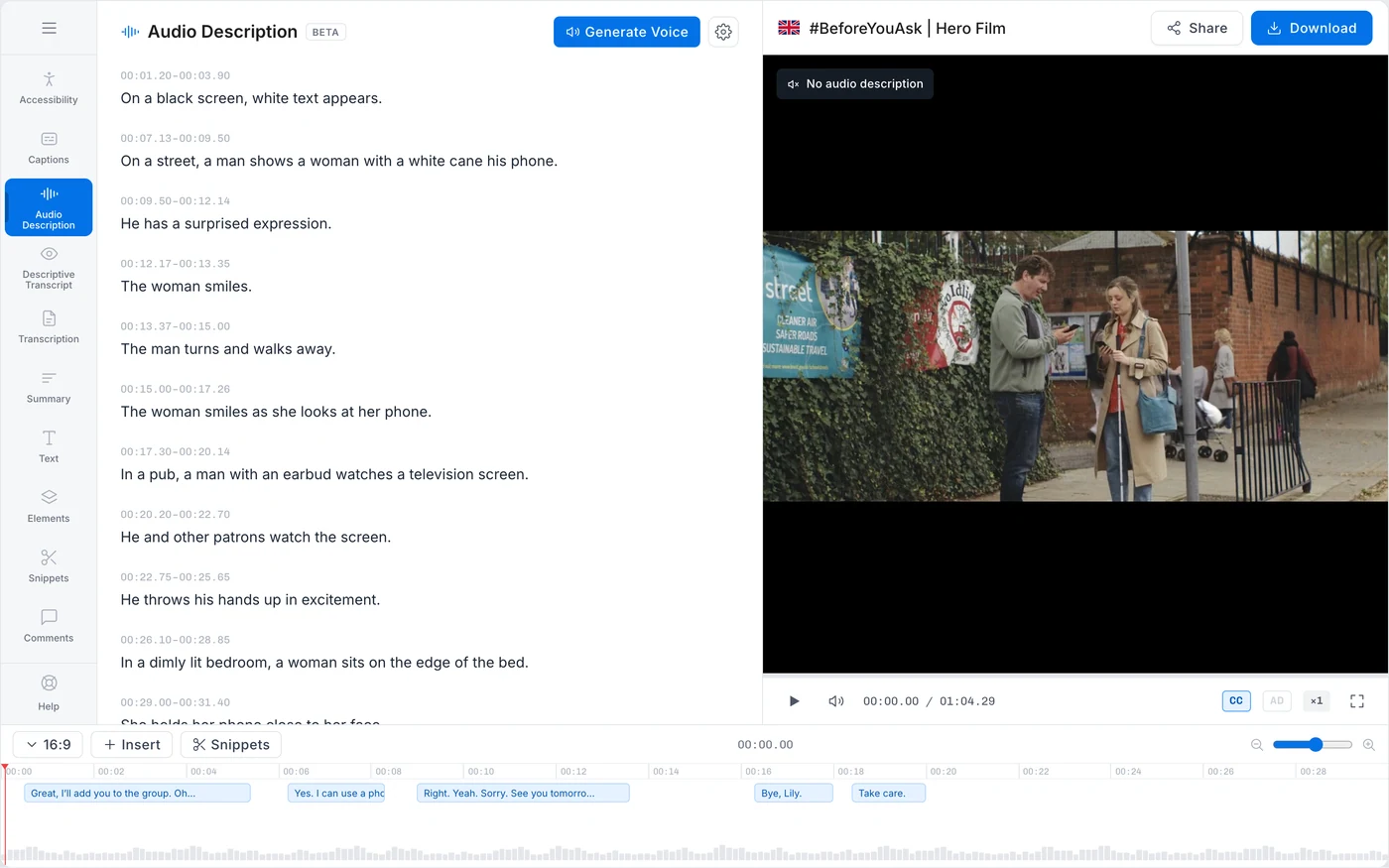
Generate the script. Show it. Let the user approve it. Then spend on the voice and the mix. In that order it was three separable jobs, which is why it was the version that fitted the time we had.
The reasoning on top of that was ours as a team, and we approved it without much research on purpose. Audio description was the most expensive thing Subly did, so we assumed people would want a say before firing it off.
What we found
First beta calls. People were not editing the script. They were sitting on it.
Different customers, and the same behaviour again.
Hotjar confirmed the pattern. They opened the script, read it, and stopped.
The reason was the same every time, and it is obvious once you hear it. You cannot judge a description without hearing where it lands. A line reads perfectly well on the page and then arrives on top of dialogue, or two seconds late.
They needed the audio and the video to check the words. We were asking them to check the words first.
So we had the answer in week two: give them the finished video and put the script next to it. It was not a screen change. It was the whole pipeline running in a different order.
Release two / December
Temporary
Rebuilding around the finished video was weeks of engineering. Leaving release one alone meant a month of people staring at a script they had no way to judge.
So I built the middle option in the frontend myself: make the journey visible, so at least nobody is waiting for audio that has not been asked for yet. Three steps, named, with the current one marked.
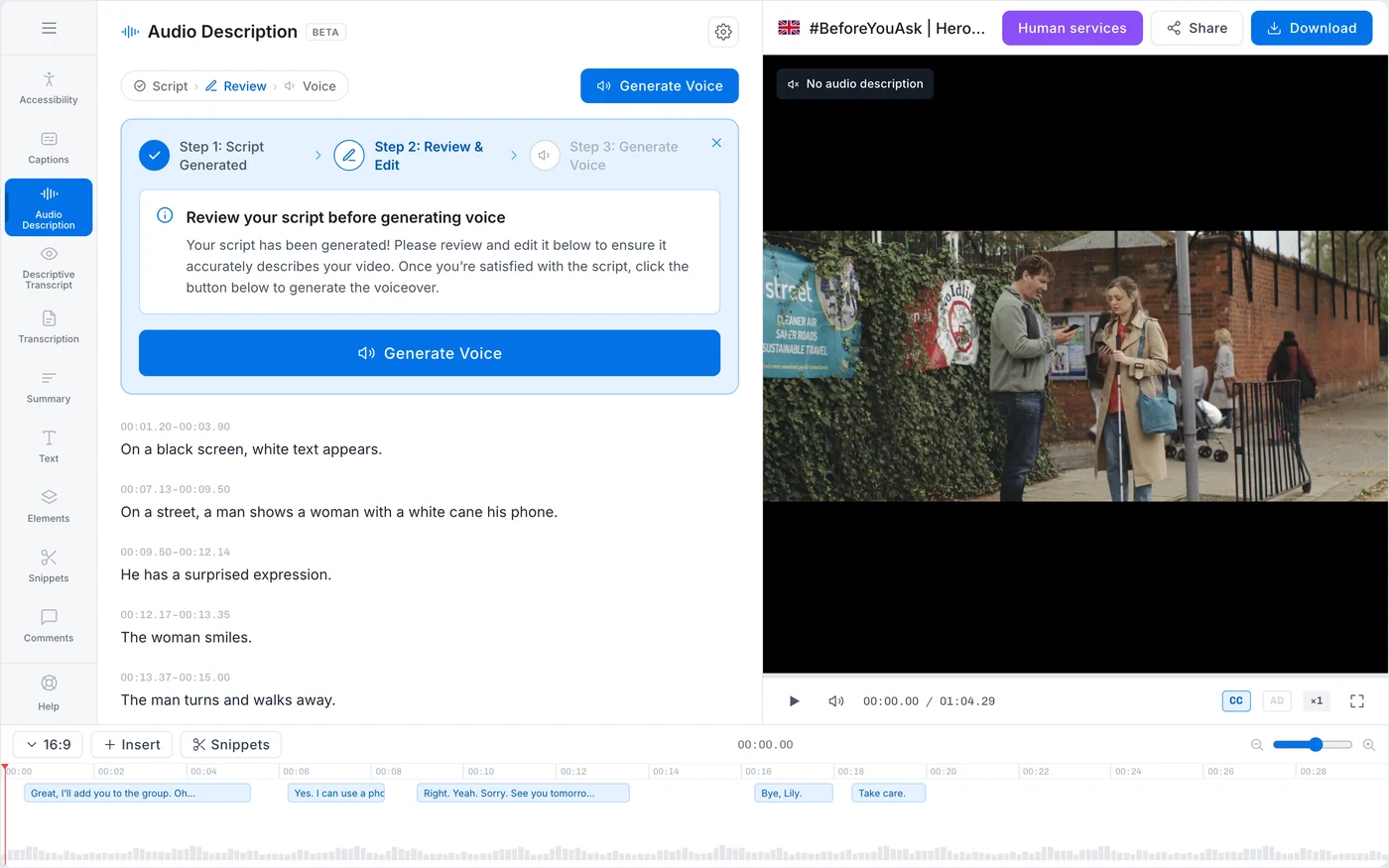
It helped and it did not fix it, which is what we expected. Nobody had been confused about the steps. They had been unable to do step two.
Release three / February
Kept
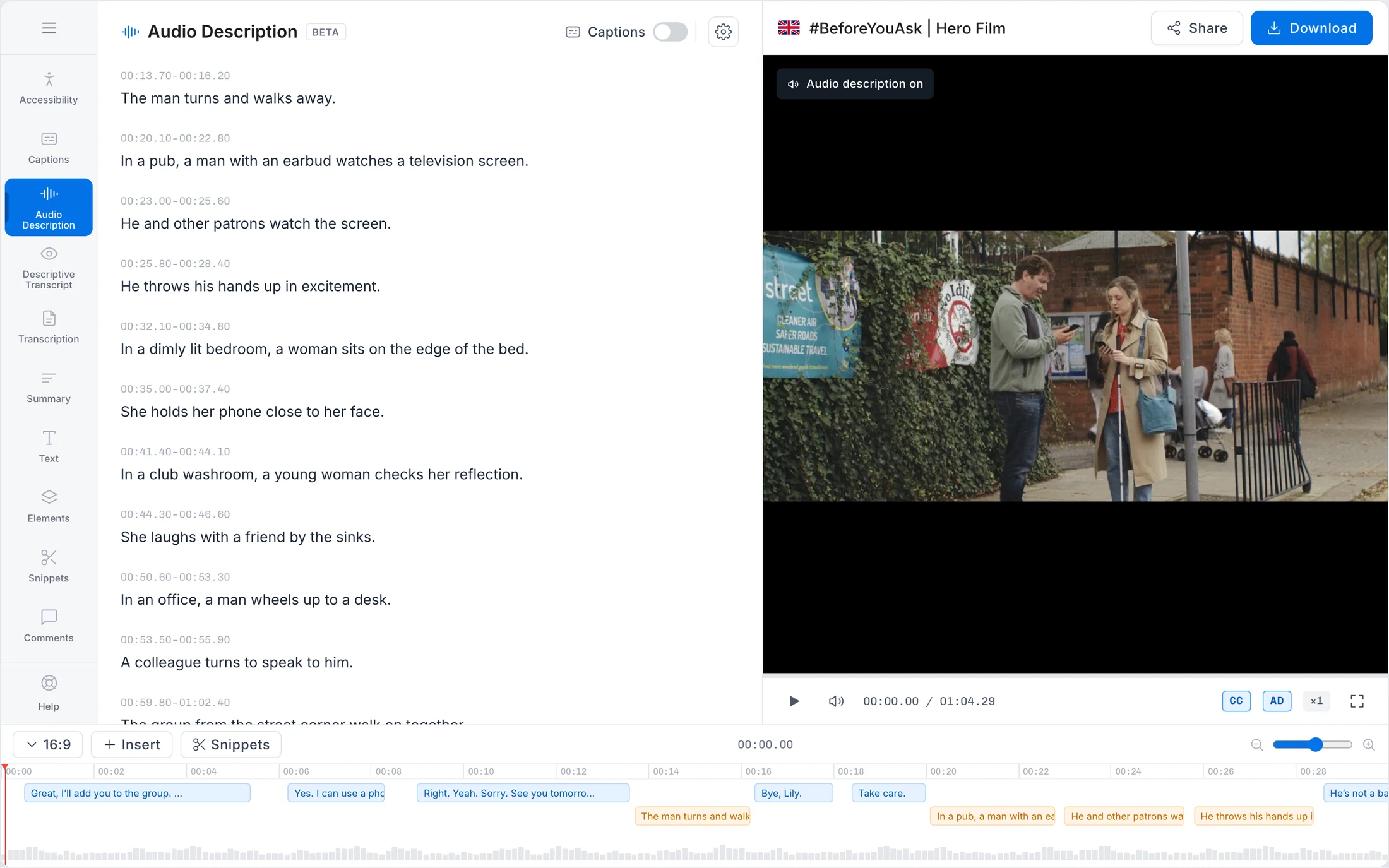
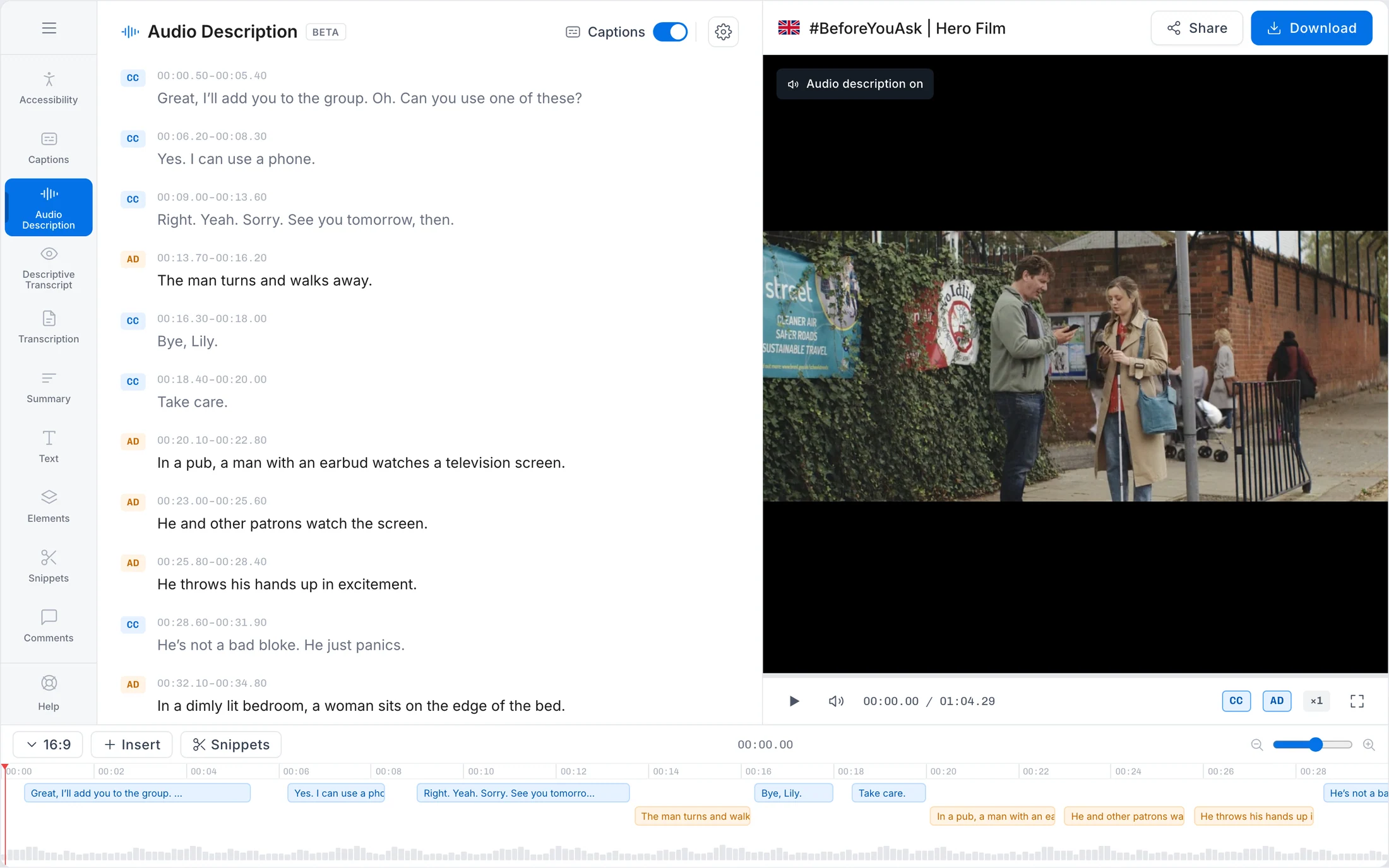
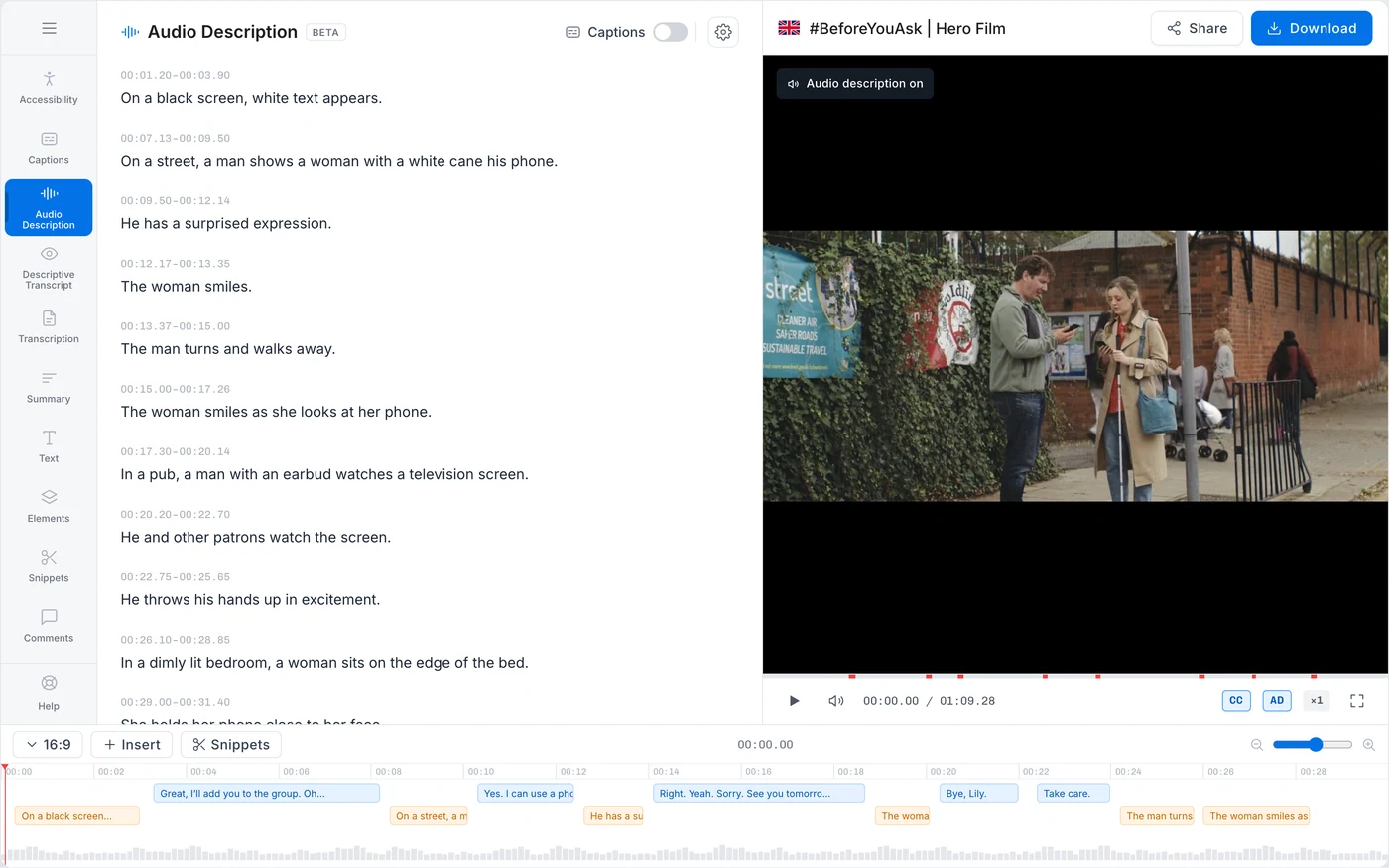
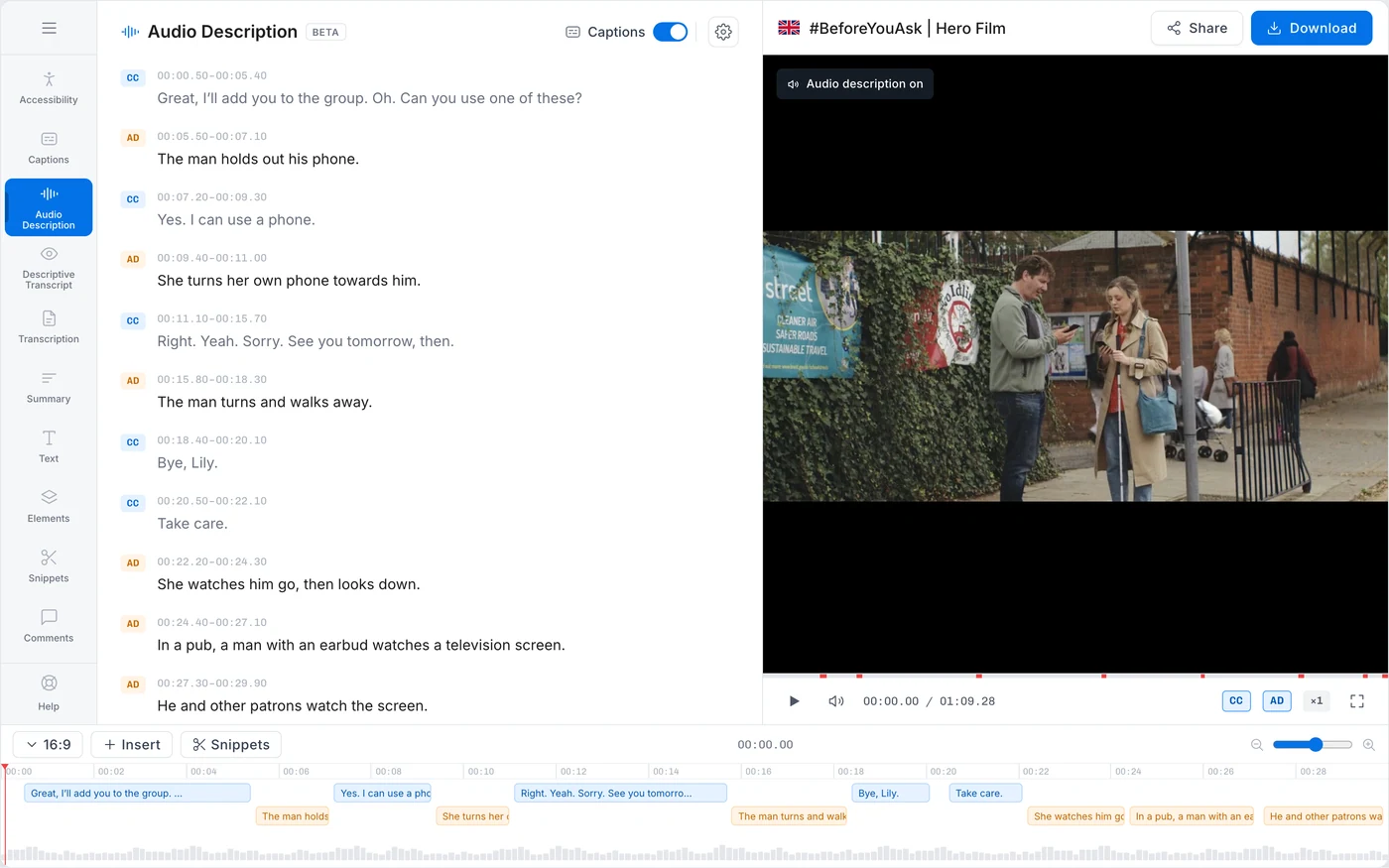
Everything runs. Transcription, description, voice, mix. What comes back is the described video playing, with the script beside it, and a wrong line is fixed in place.
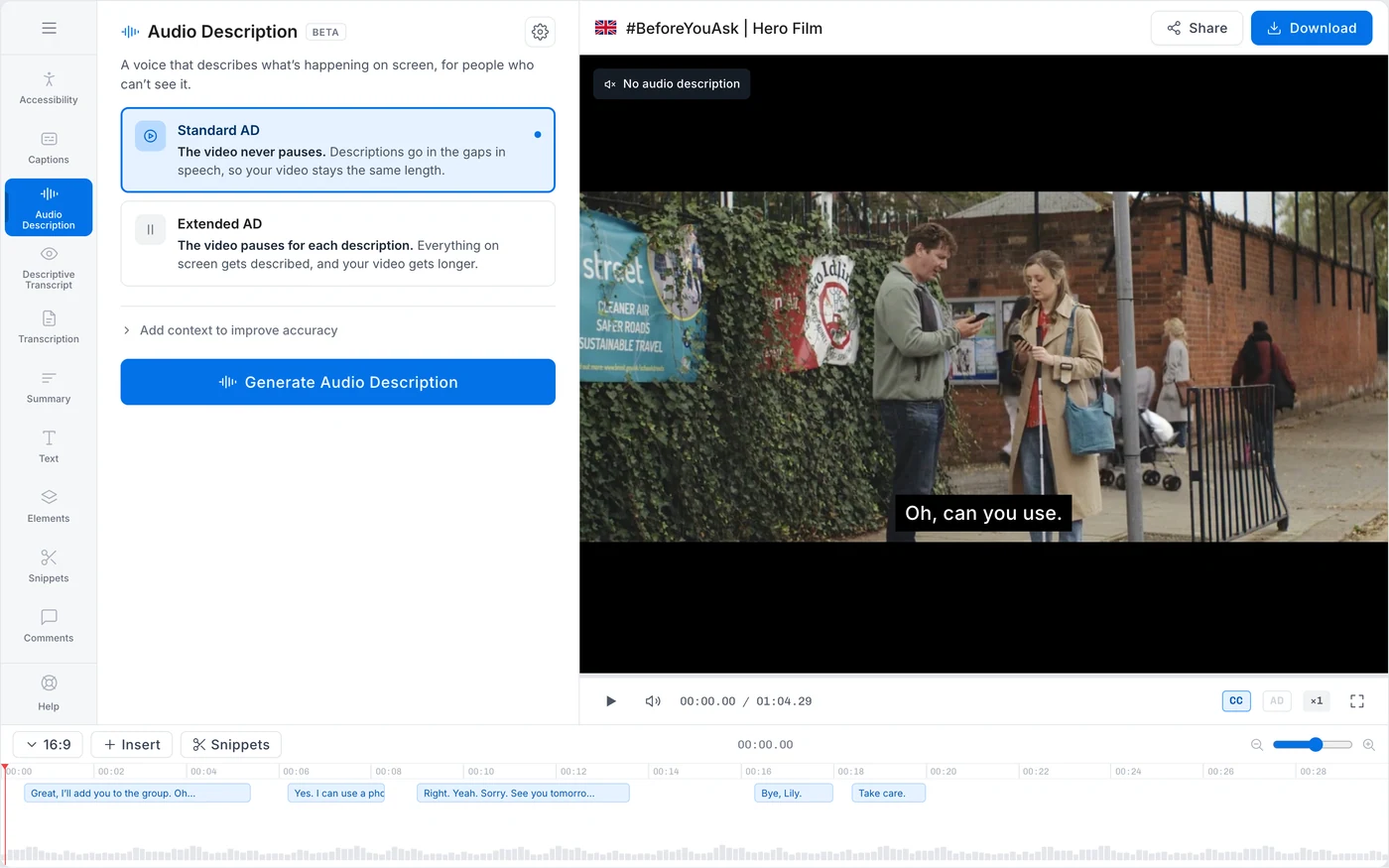
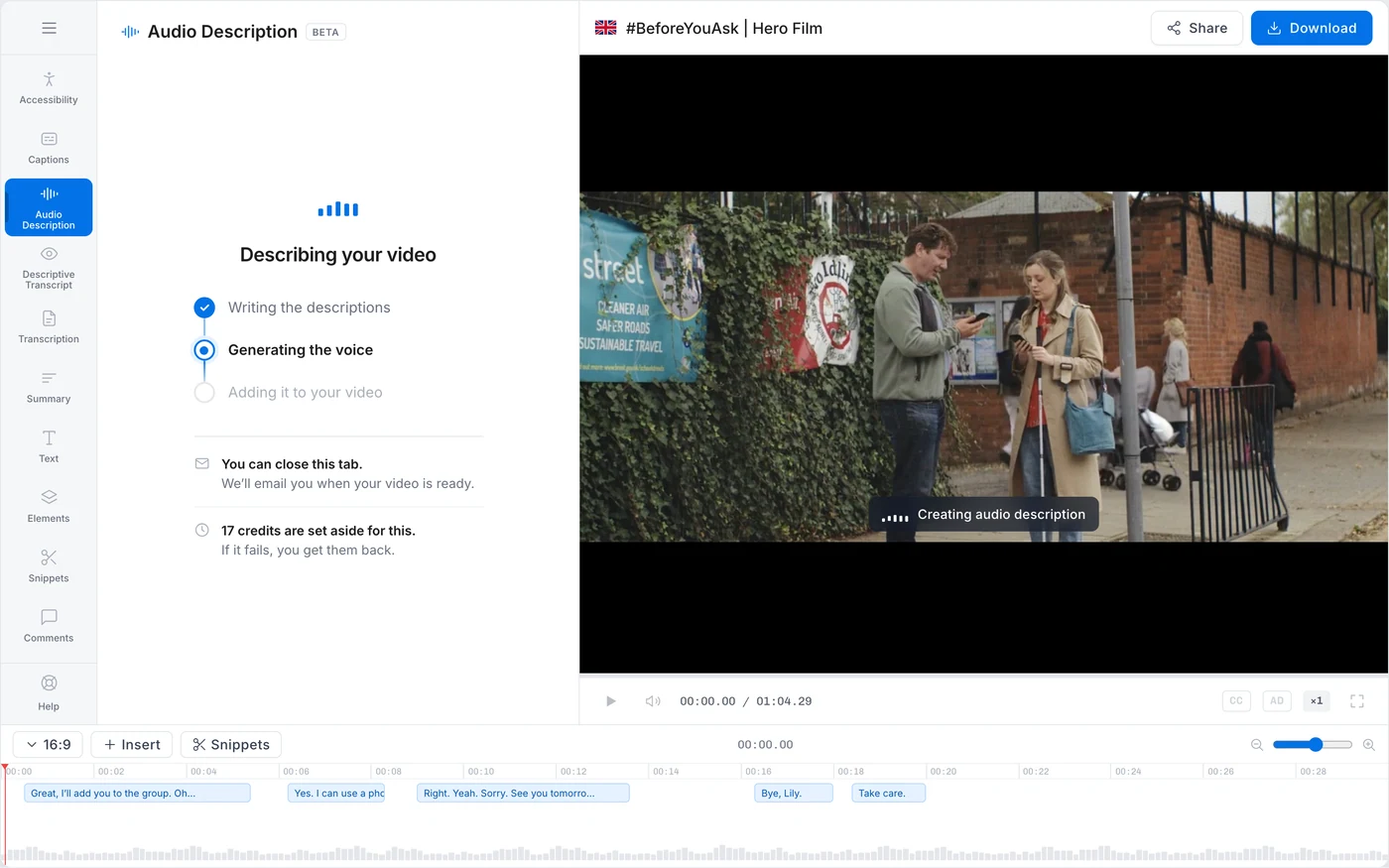
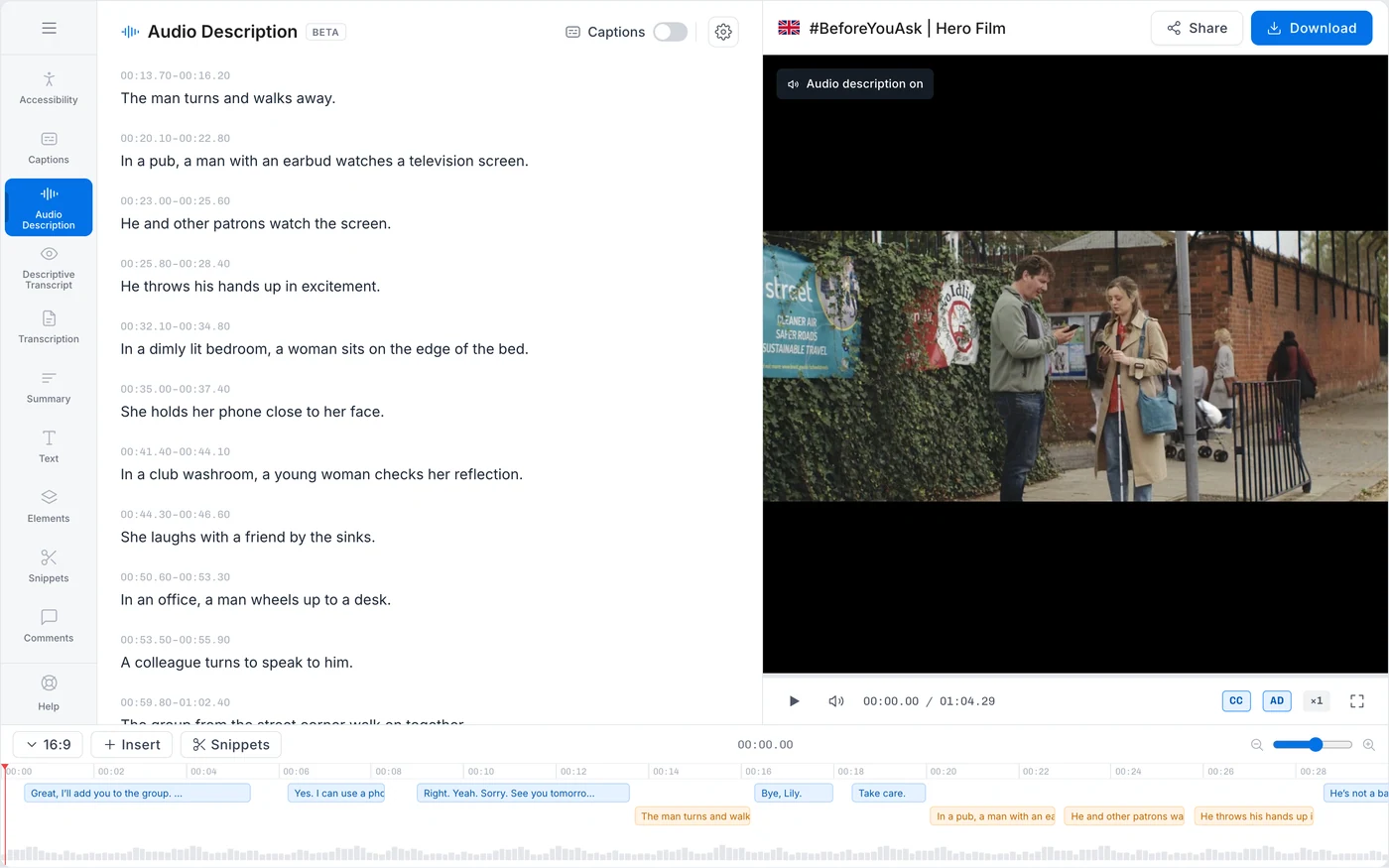
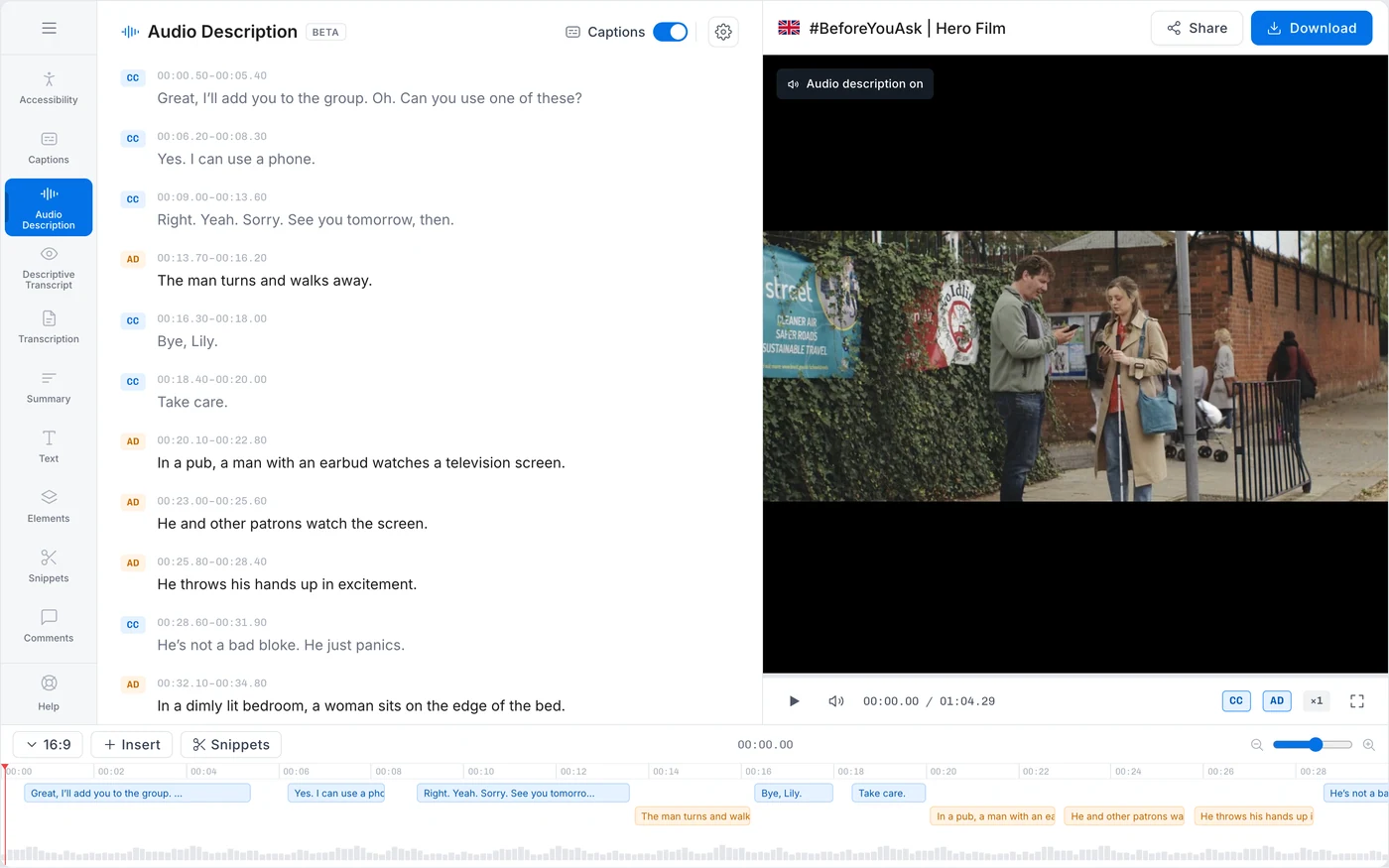
Nobody has to judge a script any more. The thing that stalled release one is gone: the person who could not tell whether a line worked now hears it land.
What it cost the user. The script cost credits and the voice cost credits. Running them together spends both at once, and the cheap first step is gone.
We did it anyway, and the reason came out of the interviews, not the spreadsheet. The person running a video is usually not the person who put the budget on the account. Putting the arithmetic in front of them at the moment of action made them hesitate over a decision that was not theirs.
It also suited the business, and that is worth saying out loud. More generation is more consumption. We would have chosen it anyway, because a review step nobody can complete is not worth the saving. But the interests lined up.
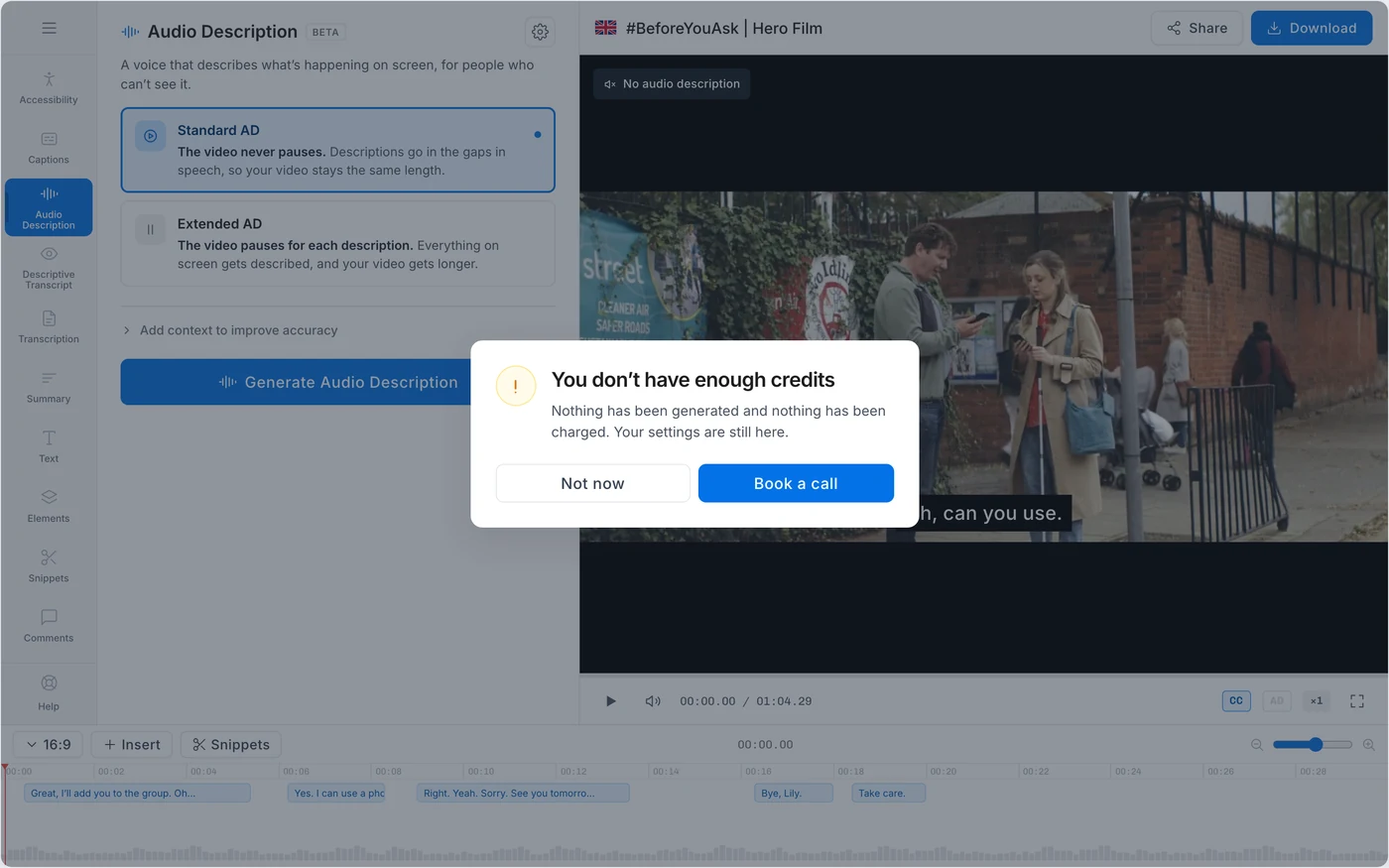
There is a wall before any of it runs. Without the credits nothing starts, and nobody tops up their own account at Subly. Credits are arranged with someone on the team, so Book a call is the mechanism and not a sales gate. That is also why the screen carries no figures: none of them change which of the two buttons gets pressed.
The two modes
There are two ways to fit a description into a film. Standard puts it in the pauses that are already there. Extended stops the video to make room.
StandardThe description fits between two lines of dialogue
Nothing to decide. The gaps in the dialogue are long enough to hold what needs saying.
The problemContinuous dialogue leaves nowhere to put it
The whole difficulty of audio description in one picture. There is no room, and every way out costs something: cut the description, speed the voice past comprehension, or stop the video.
ExtendedThe video pauses to make the room
It solves the problem and changes the artefact: the viewer no longer gets the video they were given. That is worth saying at the moment of choosing, which is what the escalation does.
Why there are two kinds at all. Drawn in the page rather than screenshotted.
The first version only made Extended. Every video got paused, whether it needed it or not, so every customer got back a film that no longer ran the way the one they uploaded did.
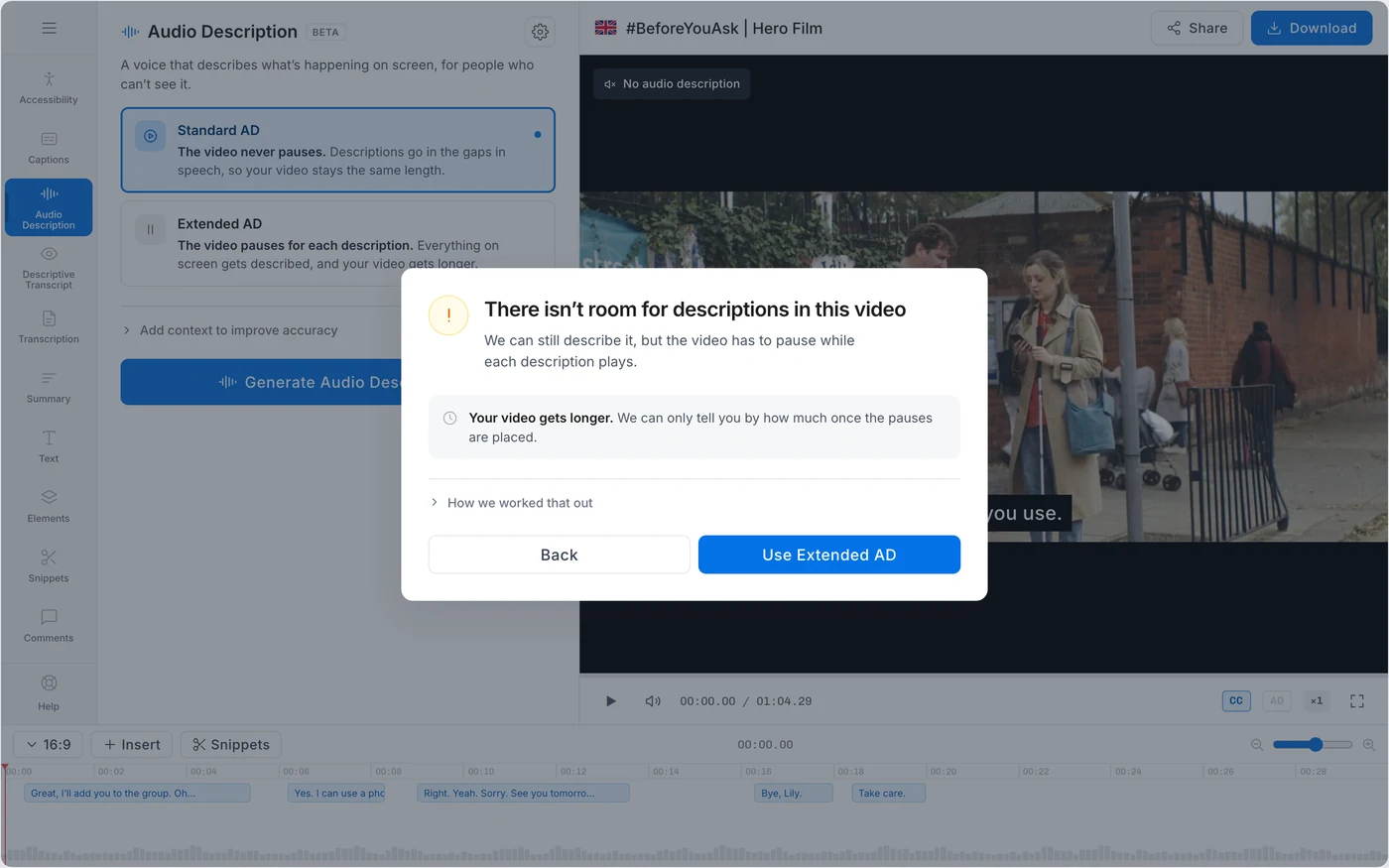
Then we built Standard and made it the default. Extended now appears only when the dialogue leaves no gap big enough, and when it does, the product says so and explains what it changes.
Later we put the choice back. Some customers wanted Extended from the start, and once someone knows the difference there is no reason to keep deciding for them.
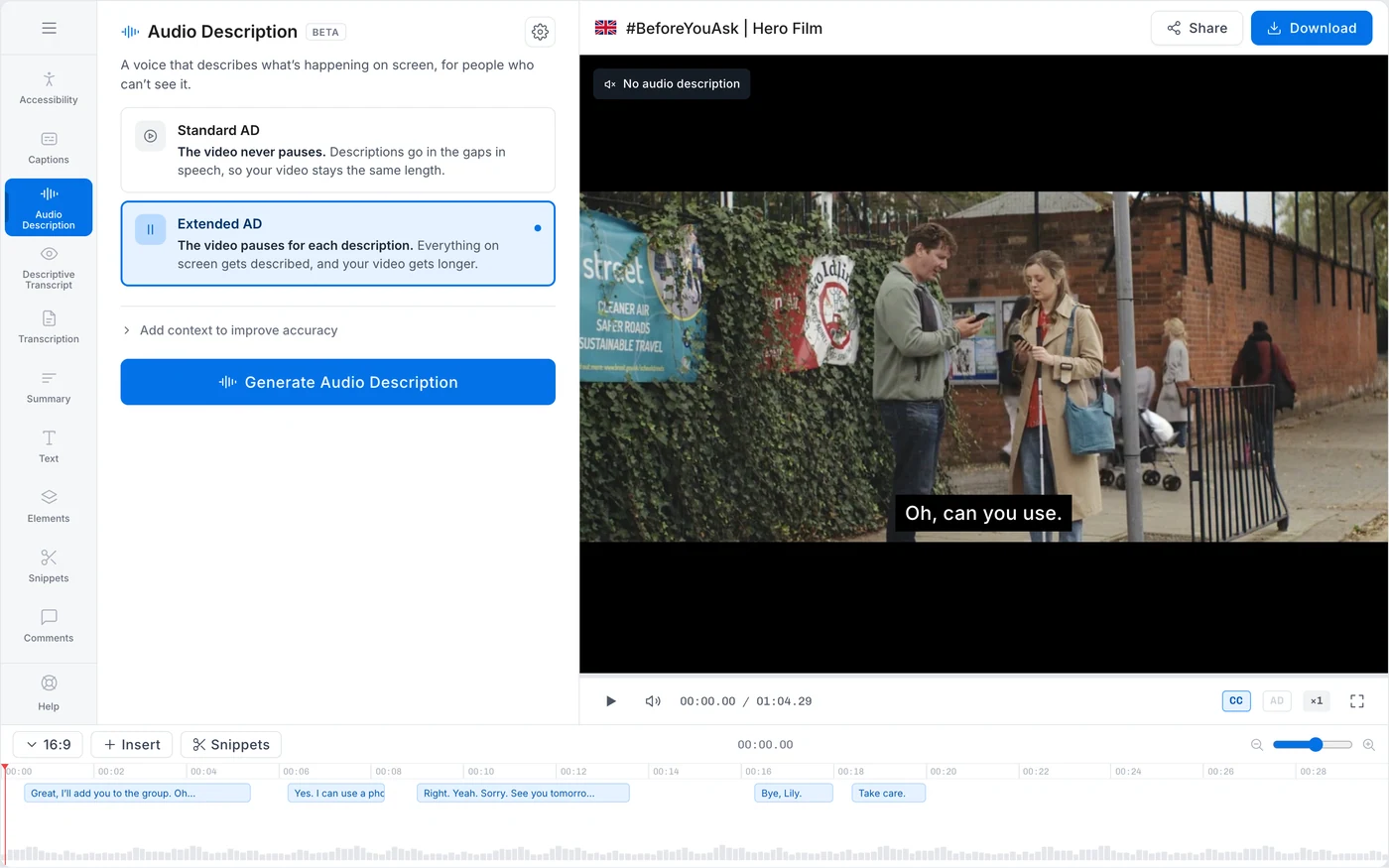
A first-time user never has to hear about the second mode. Someone who already knows can ask for it.
What we cut
Fixing one description without touching the rest. It would mean learning what a cue is, and it worked against what the business needed that quarter.
Other languages stayed in the backlog. A language picker on day one is one more decision for someone who does not want to make any.
Per-cue control is the one that still bothers me. I cut a feature that would have saved people money, because the company needed them to spend more that quarter. What I did instead was push the quality of the generation, so they would need it less often.
It held better than it deserved to, for a reason I did not design. Most people barely edited. The output was for compliance, not for broadcast, and once it was accurate they were done with it.
When it failed
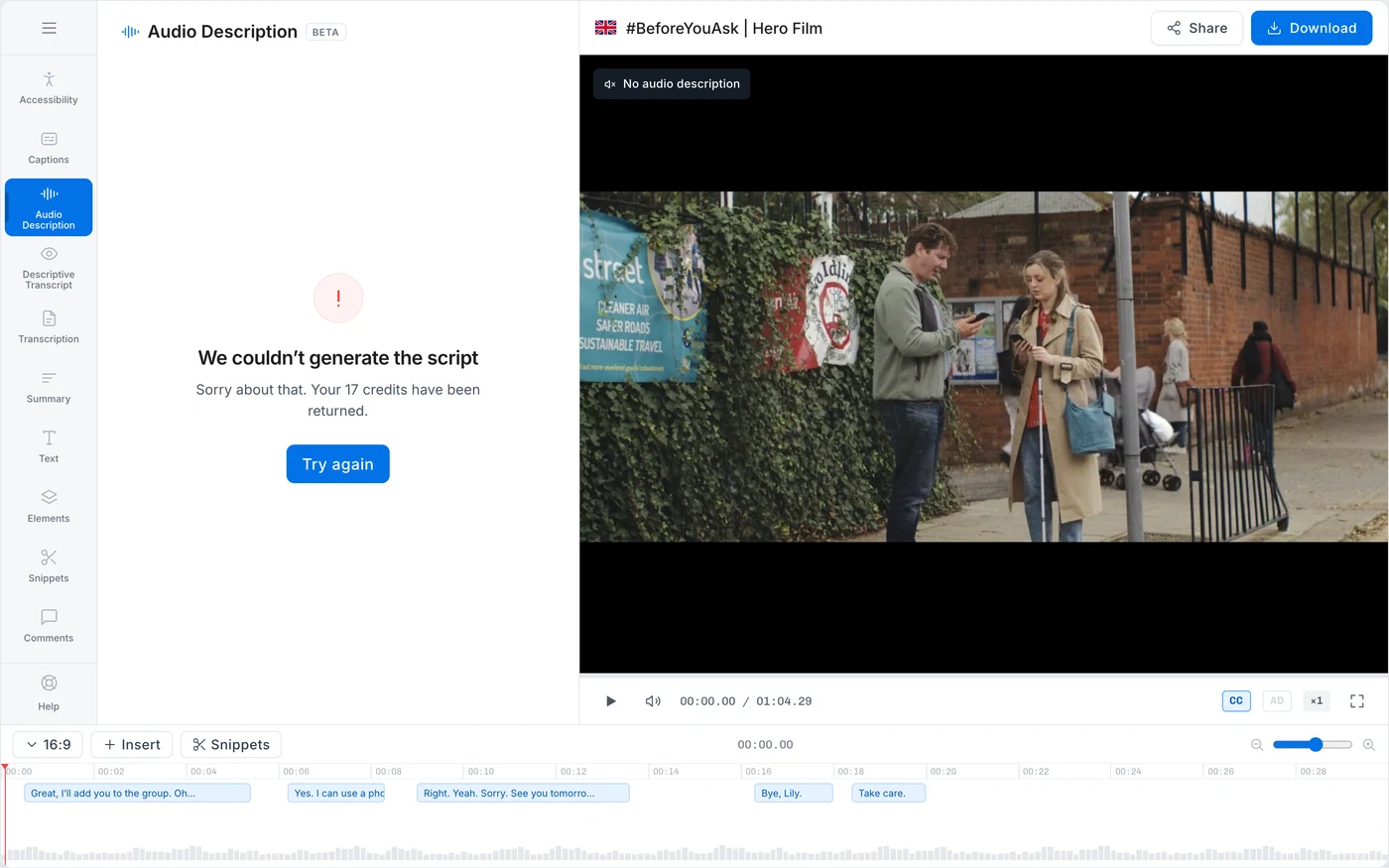
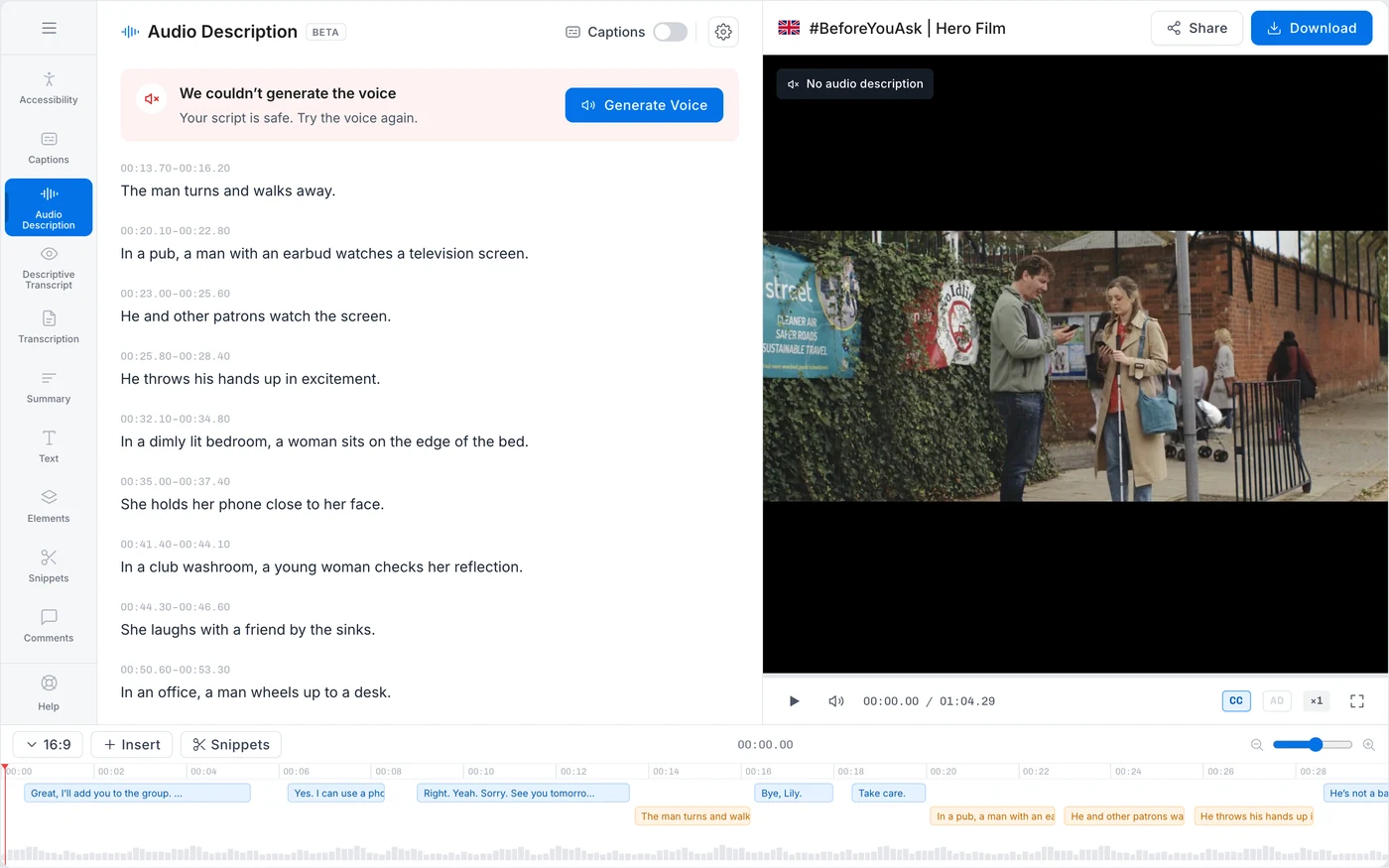
The script, the voice and the mix run in order and fail separately. If the voice failed the script survived, and the error was about the voice alone.
When a run failed we said so and gave the credits back. Someone spending credits against a compliance deadline will not keep using a product where a failure also costs money.
Where it ends
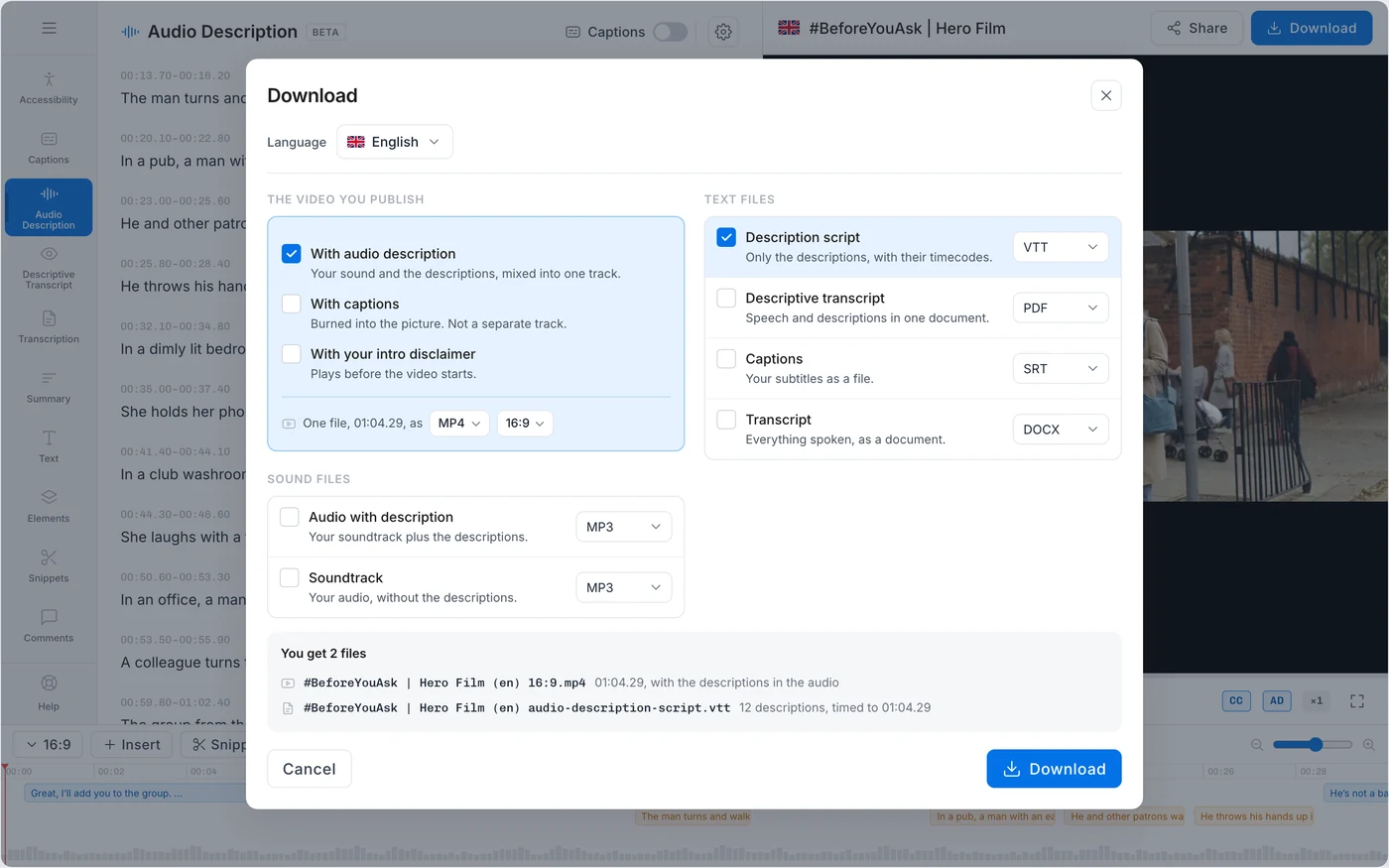
What shipped ordered the download by which part of the backend produced each file. The one thing most people came for, the video with the description already in it, was a checkbox in the far column that stayed off until an aspect ratio was picked first.
The order here is the other one. The video is what gets published and everything else is a file, so in Standard audio description sits inside the video’s options: same length, captions still fit, costs nothing else.
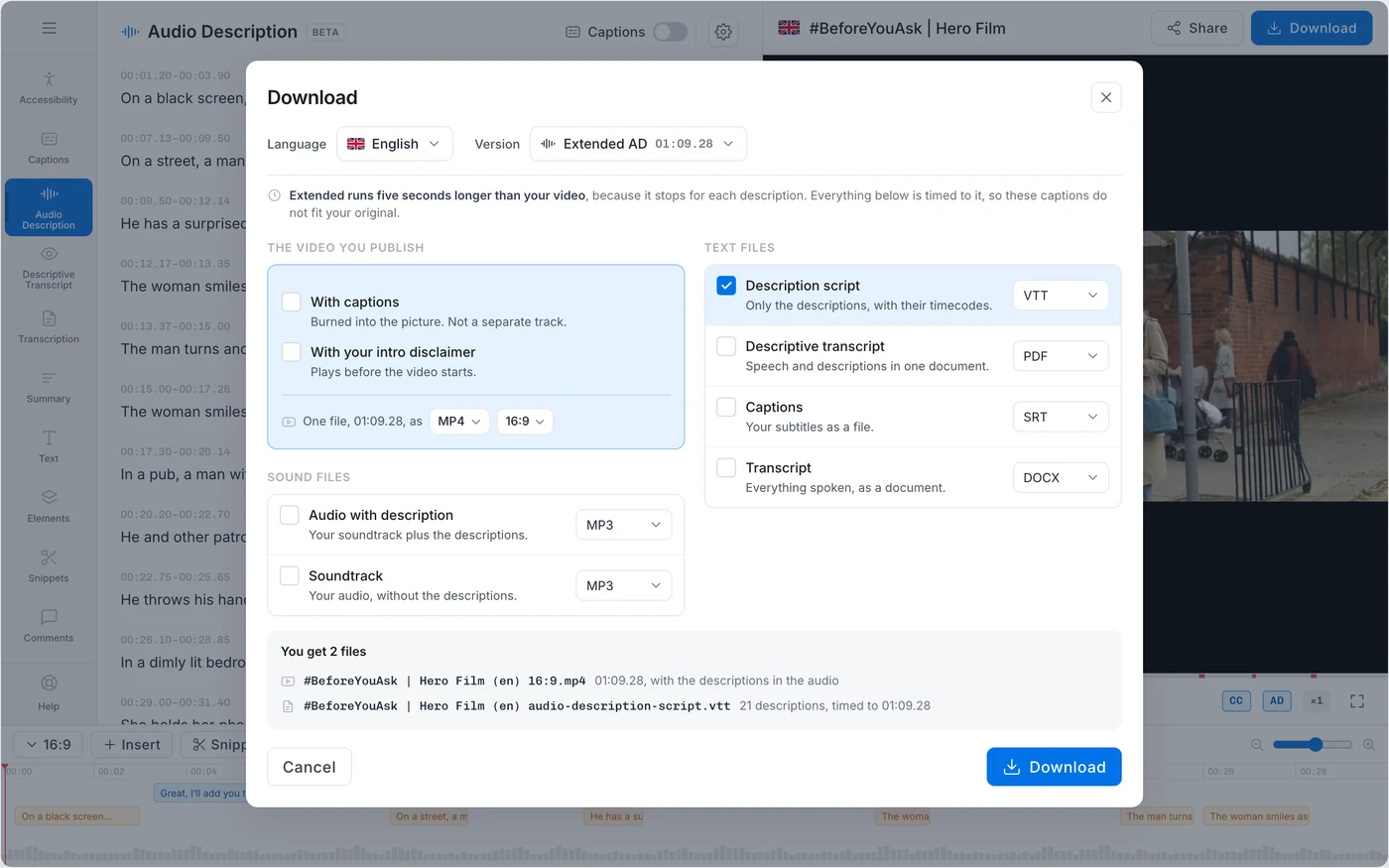
Extended is not an option in the same sense. The video stops for each description, so it runs 01:09.28 instead of 01:04.29 and every file with timecodes moves with it. It leaves the video’s options and goes up beside the language, as the version, and it is a dropdown rather than two large cards on purpose. The question at this point is not whether the person wants audio description. It is which of their two videos they are taking.
The prompts
Because there is no per-cue editing, a wrong line costs a full regeneration and the user pays for it. The output had to be right the first time, and that is not a screen problem.
What gets described and what gets left out. How much detail. When to stop so the description does not talk over the dialogue. Someone who cannot see the screen is on the other end of every one of those calls. They are design decisions. They get filed as engineering because they are written in prompts instead of pixels.
The first version ran in two stages and it made things up. It described objects that were not in the video. Splitting it into three, with one rule each stage has to obey, is what made the output good enough to sell against a standard.
The transcript, the extracted frames, and an explicit boundary on what counts as knowable.
Timed descriptions written to fit the natural gaps in the speech, not written first and squeezed after.
Every line is cross-checked against the source before it is allowed out.
The third stage is the one that stopped the hallucinations.
Outcome
The change is what the person on the other end has to do. In November they read a list of lines and had no way to tell whether any of it was right. In February they press one button, wait, and play the video.
The only feedback I have from a customer is one interview, after the third release shipped.
Works quite well. Still a bit lengthy to run, but way faster than making it by hand.
The wait is the fair part of that. Everything runs once they press the button and it grows with the length of the video, around five minutes. What those five minutes replace is a writer, a voice artist and a mix.
There was never a second interview. Subly was acquired a few weeks after the third release and I left that month, so there is no month of usage to point at and the user base was too small for the analytics to mean much before that. I could quote a number from the pipeline and it would not survive a follow-up question, so I would rather say this: the feature is live, the two versions are real, and the difference between them is the output below.
The clearest measure is the output itself. Run the same video through both versions and version one writes seven descriptions, version two writes twenty-three. That is not padding. Version one skipped long stretches of the video because it only wrote for the gaps it found easy, and it described what it saw in four or five words. Version two covers the video.
Version one7 descriptions
Version two23 descriptions, first 10 plotted
The same video, both versions, on the same scale. The hatched stretch is thirty-two seconds where version one said nothing at all: the jaguar enters the water and takes the caiman, and the viewer who cannot see it is told none of it. Version two also opens the video, which version one left silent for its first eight seconds. Only ten of version two’s twenty-three are plotted, so its real coverage is denser than drawn here, not sparser.
Version one7 descriptions
Version two23 descriptions
Ten of the twenty-three shown.