Turning a creator tool into something a company could buy
Subly sold to individual creators. They left at ten and a half percent a month. Companies kept asking about it and then not buying, always for the same reason. I led the pivot as product lead and sole designer.
Role
Product lead, sole designer
Scope
Strategy, research, UX, go to market
Shipped
2024
Outcome
Churn 10.5% to 3.5%
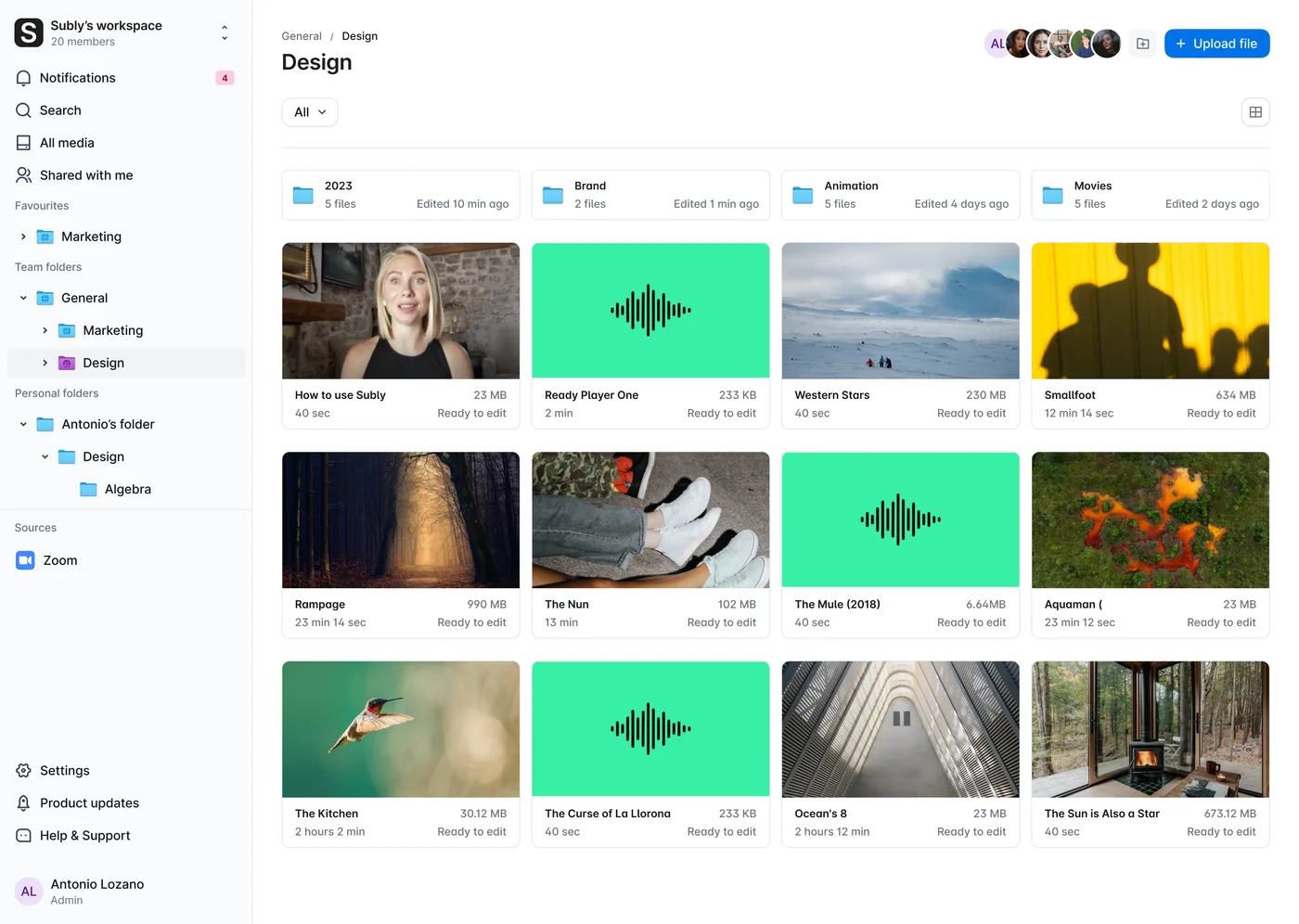
Three folder icons carry the whole access model, and the one open here is the restricted one.
TeamAnyone in the workspace can open it.
RestrictedOne group, and nobody else.
PersonalOnly the person whose folder it is.
The problem
Ninety percent of the customers were individual creators
A creator signs up for one project. They caption their video, they finish, they leave. That is not the product failing. That is what freelance work looks like.
But at ten and a half percent leaving every month, Subly was replacing most of its customer base every year just to stand still. A focus on creators had put the company in a competitive B2C market, and no amount of marketing moved it: high churn and low lifetime value capped how far it could grow.
90%Were individual creatorsOne person, one project, one video.
10.5%Left every monthMost of the customer base replaced every year, just to stand still.
B2CIn a crowded marketEvery competitor chasing the same person, on the same monthly plan.
Companies behaved the opposite way. They arrived with budget, they stayed in conversations for months, and they stopped at the same place every single time.
Findings
They were not asking for features
The decision was to move from B2C to B2B. So before designing anything I interviewed enterprise prospects and went back through the churn data, to find out what a company needs that a creator does not. Three things came back, and none of them was captioning.
Finding 01
Security and privacy demands
Enterprises required strict security and privacy controls for data integrity. In Subly, every file belonged to whoever uploaded it. For one person that is fine. For a company it is a reason not to sign.
Finding 02
Collaboration and workflow complexity
Teams needed tools to manage multiple users and permissions effectively. Sharing was all or nothing, so the only way to keep something private was to keep it out of the product.
Finding 03
Market validation for enterprise use
With accessibility regulations landing in 2025, enterprises were actively looking for a reliable, compliant supplier. The demand was not something we had to create. It had a date on it.
Two people, and they wanted opposite things
The research settled on two, and the tension between them is the whole design problem: one is accountable for what leaks, the other just wants to get the work out.
MiriamMarketing & content manager
Answers for what leaks
Wants secure tools that meet enterprise privacy requirements.
Runs multiple projects across several team structures at once.
Blocked by tools that fail security review, which quietly removes most of the market.
CarlosContent specialist
Just wants the work out
Wants to subtitle accurately and share files with the team without ceremony.
Needs a file structure that is already organised when he arrives.
Blocked by processing every file by hand, one at a time.
These two became the two roles. Miriam is why Manager exists. Carlos is why Manager is not the default, and why nothing in his day asks him to think about permissions at all.
Strategy
Two capabilities, inside a plan you had to pay for
Working with the CEO I set the product vision and the OKRs, then scoped the smallest thing that could unlock the segment. Not a rebuild. Two capabilities, packaged as a new Enterprise plan, validated against the prospects already in the pipeline before building further.
Team folders. A structure for content that belongs to a department instead of an inbox. Enterprise media is organisational, and the product had been modelling it as personal.
Roles and access. A manager who can decide who opens a folder, without having to ask an admin or move files around to hide them.
Everything that follows is those two ideas, in the three places where a person actually meets them.
Position Subly as an essential tool for media accessibility and team collaboration in enterprise environments, emphasising security and ease of use.
The product vision I wrote for the pivot. Security sits in the sentence, not in a later phase.
Three goals, and the mechanism under each one
Goal 01
Reduce churn and increase retention
Not by persuading creators to stay. By shifting to a B2B model with long-term clients on annual contracts, which changes what churn can even mean. A monthly plan invites a monthly decision.
Goal 02
Boost customer lifetime value
Tailor the feature offering to enterprise-specific problems, so the product is worth more per account rather than being sold to more accounts.
Goal 03
Unlock enterprise market access
Redesign the features to meet enterprise demands and introduce a new Enterprise plan aimed at that audience alone.
The targets we set before building
I set these with the CEO at the start, which is the only reason the outcome section further down means anything. A number you choose after the fact is not a result.
+10%ARR growthFrom introducing the Enterprise plan.
Below 5%ChurnDown from 10.5%, through enterprise-specific stability.
+15%EngagementBetter collaboration tools and a streamlined file upload workflow.
The decisions
What we explored, and what we left behind
Access control is not something you fix later. It is the shape of the product, and everything built on top of it inherits the choice.
ExploredPer file
Permission on the file
Every asset carries its own rule.
The rule has to be set again on every upload, by whoever is uploading.
Nobody can answer “who can see this folder” without opening files one at a time.
ChosenPer folder
Permission on the folder
Set once, when the folder is made. Everything dropped in inherits it.
It matches how the companies were already arranged: separate teams, each running their own area.
The answer to “who can see this” is the folder it is in.
Per file is more powerful and it is the wrong unit. A permission somebody has to remember to set is a permission that gets forgotten.
Roles · 4 became 5
A fifth role, in a model that already had four
Editor, Viewer, Admin and Owner existed, and every extra role is one more thing to explain. We added Manager anyway, below Admin, with the one job Admin was hoarding: deciding who can open a folder. The person who knows who belongs in the Marketing folder is whoever runs Marketing. The alternative was making every team lead an admin, and handing them the whole company with it.
Packaging · commercial
It was built to be sold, and that is worth saying out loud
The goal came from the business first: Subly wanted a plan it could charge more for. What went inside it was the open question. Control over who can open what was the thing enterprise buyers asked for in every conversation, so that is what went behind the plan. The interests lined up, and a case study that pretends otherwise is not much use to anyone.
Design
One system, three places you meet it
Restricted-access team folders was the capability. Everything else is a workflow inside it: setting the access, changing who holds it, and moving work between the folders it applies to. Rather than four separate features, one model with three doors into it.
This is the model underneath all three, set against every object in the product with create, update, delete and read on each.
Object
Admin
Manager
Editor
Viewer
Account
CUDR
·
·
·
Public team space
CUDR
UDR
·
R
Private team space
CUDR
CUDR
·
·
Public folder
CUDR
CUDR
·
R
Private folder
CUDR
CUDR
CUDR
·
Media
CUDR
CUDR
CUDR
R
User
CUDR
·
·
·
Guest user (viewer)
CUDR
UDR
·
R
Teams space user
CUDR
UDR
·
·
C createU updateD deleteR read
Five role names, four columns: Owner and Admin carry identical permissions, so the matrix draws capability sets rather than job titles. Read the Manager column downwards and the feature is right there. Full control of a private folder and of the people in it, nothing at all on the account. That is a team lead who can govern their own area without being handed the company.
Flow one
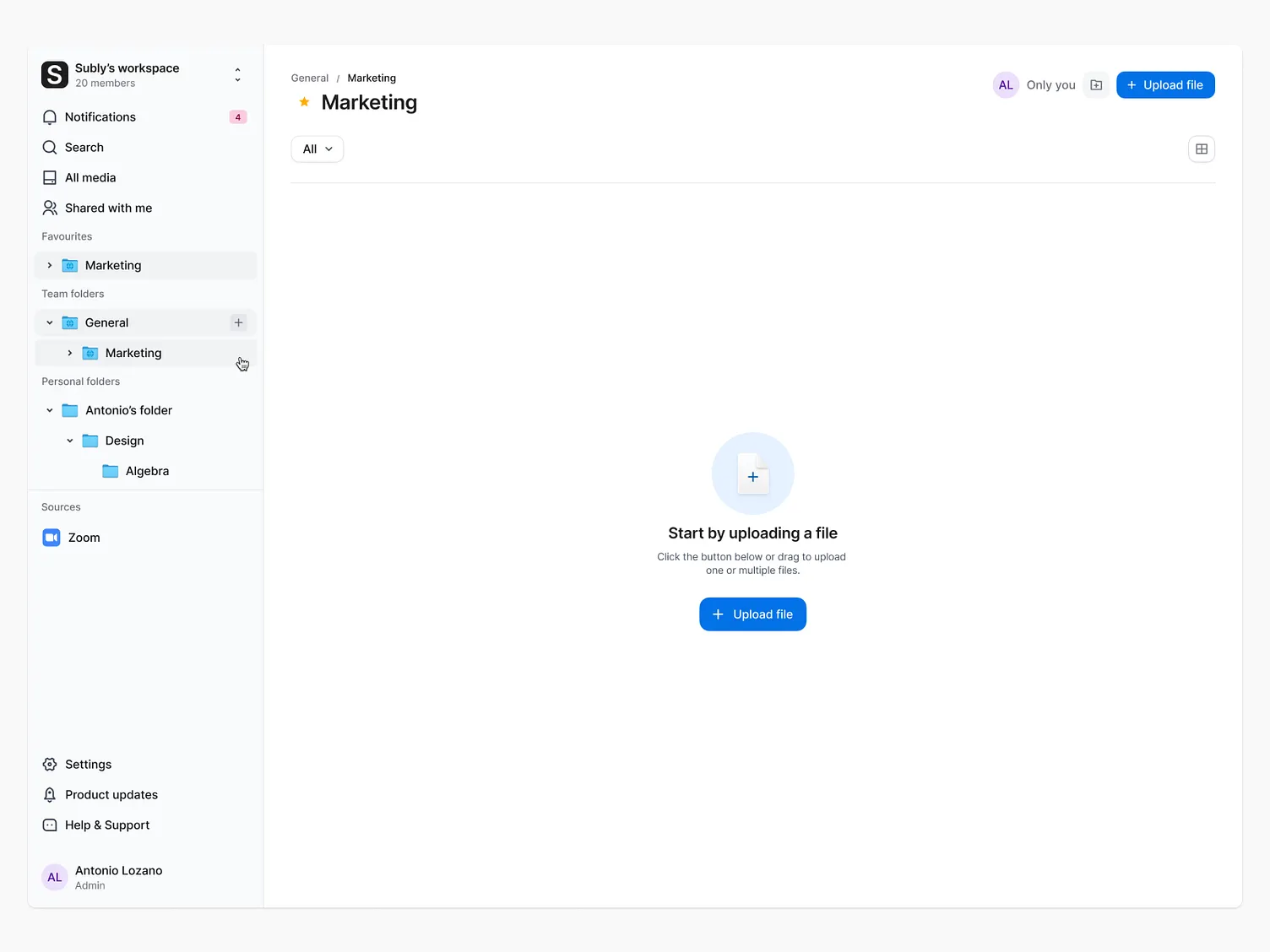
Making a folder only one group can open
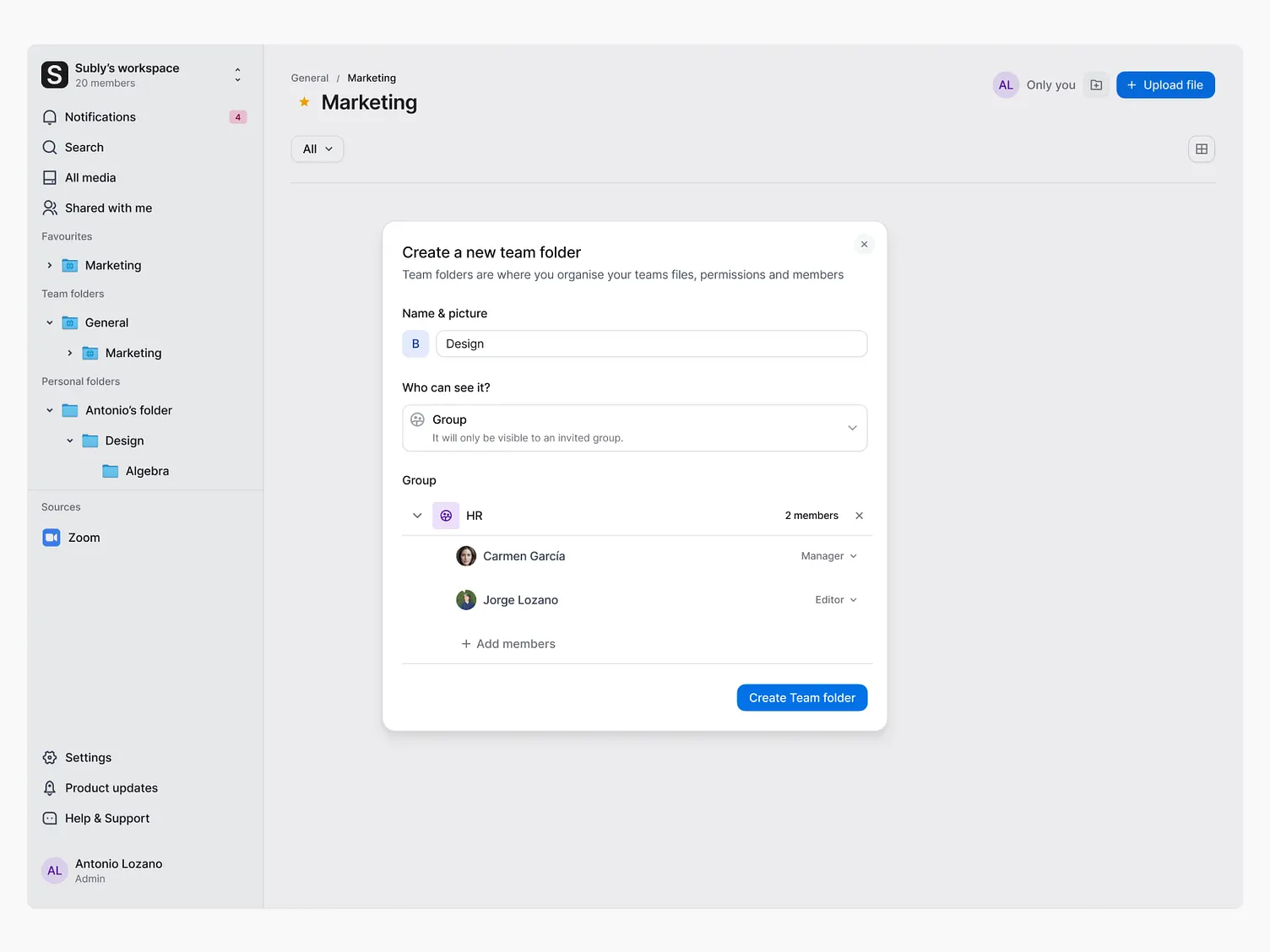
The whole thing turns on one question, asked once, at the moment the folder is made. Who can see this. Answer it and the app enforces it everywhere else.
01Empty workspace. Nothing to govern yet, so the screen asks for a file rather than explaining folders.
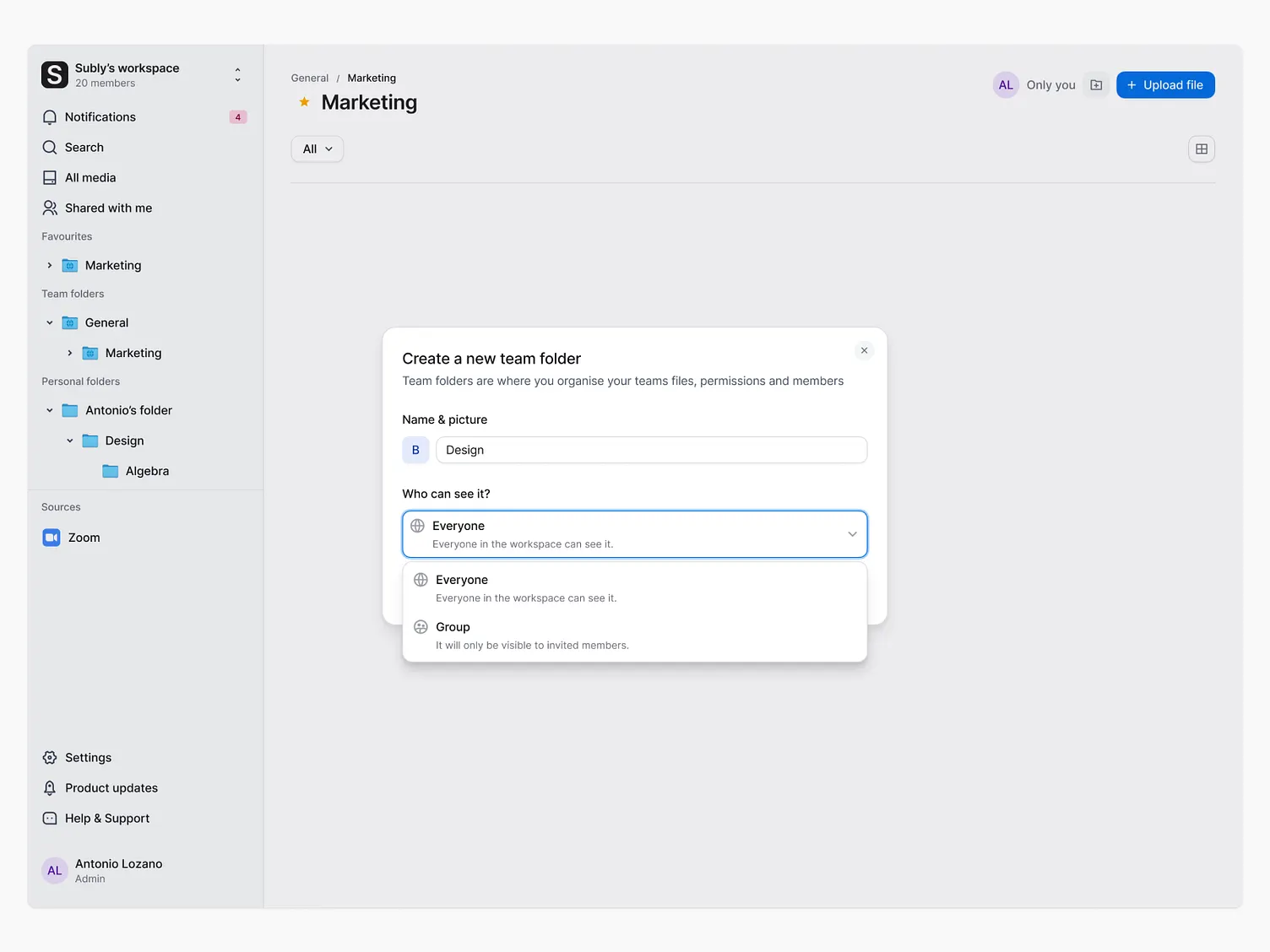
02Name it, then answer one question: who can see it. Everyone, everyone in the workspace, or a group.
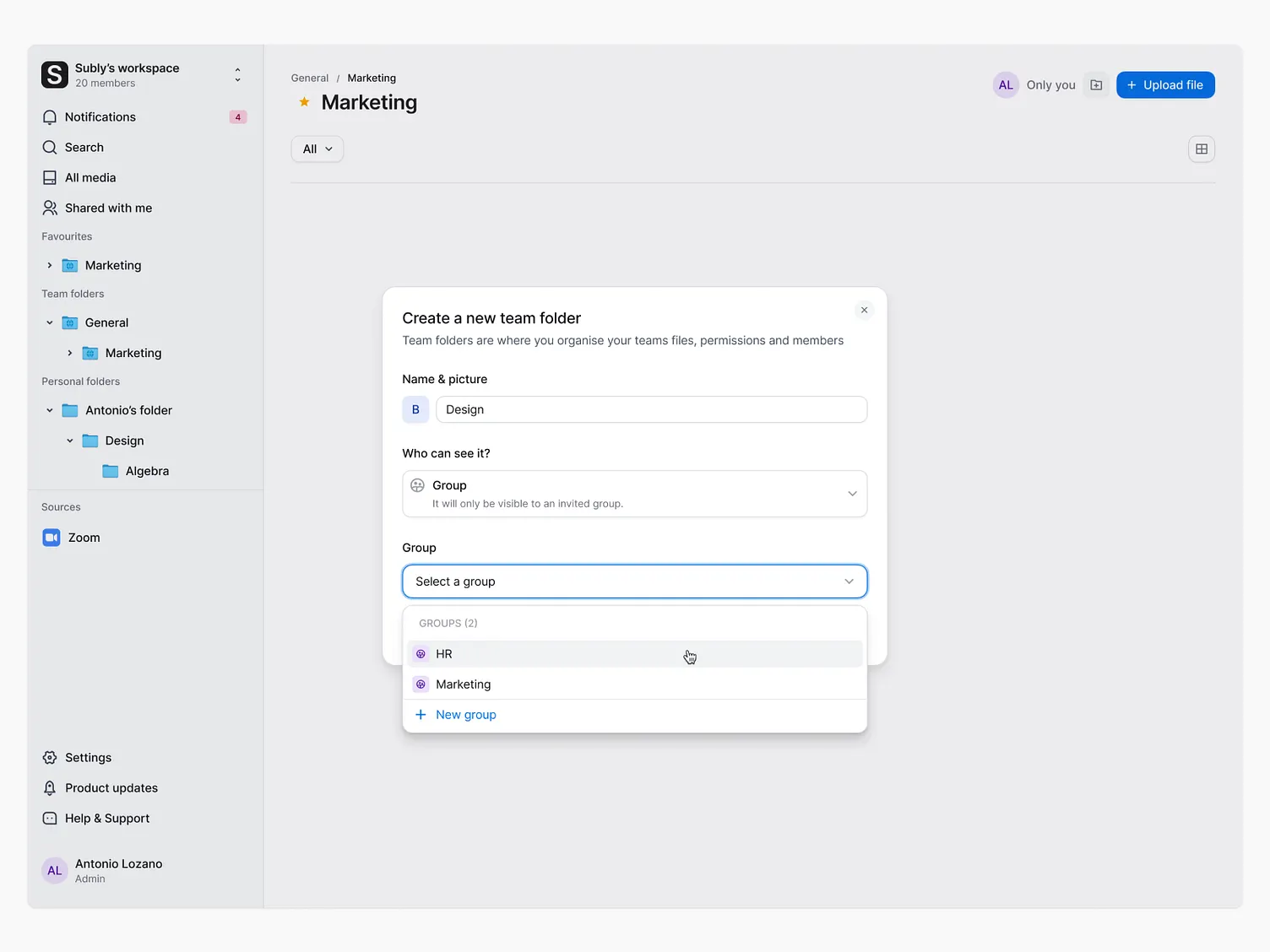
03Group chosen. Pick an existing group or make one here, without leaving the flow.
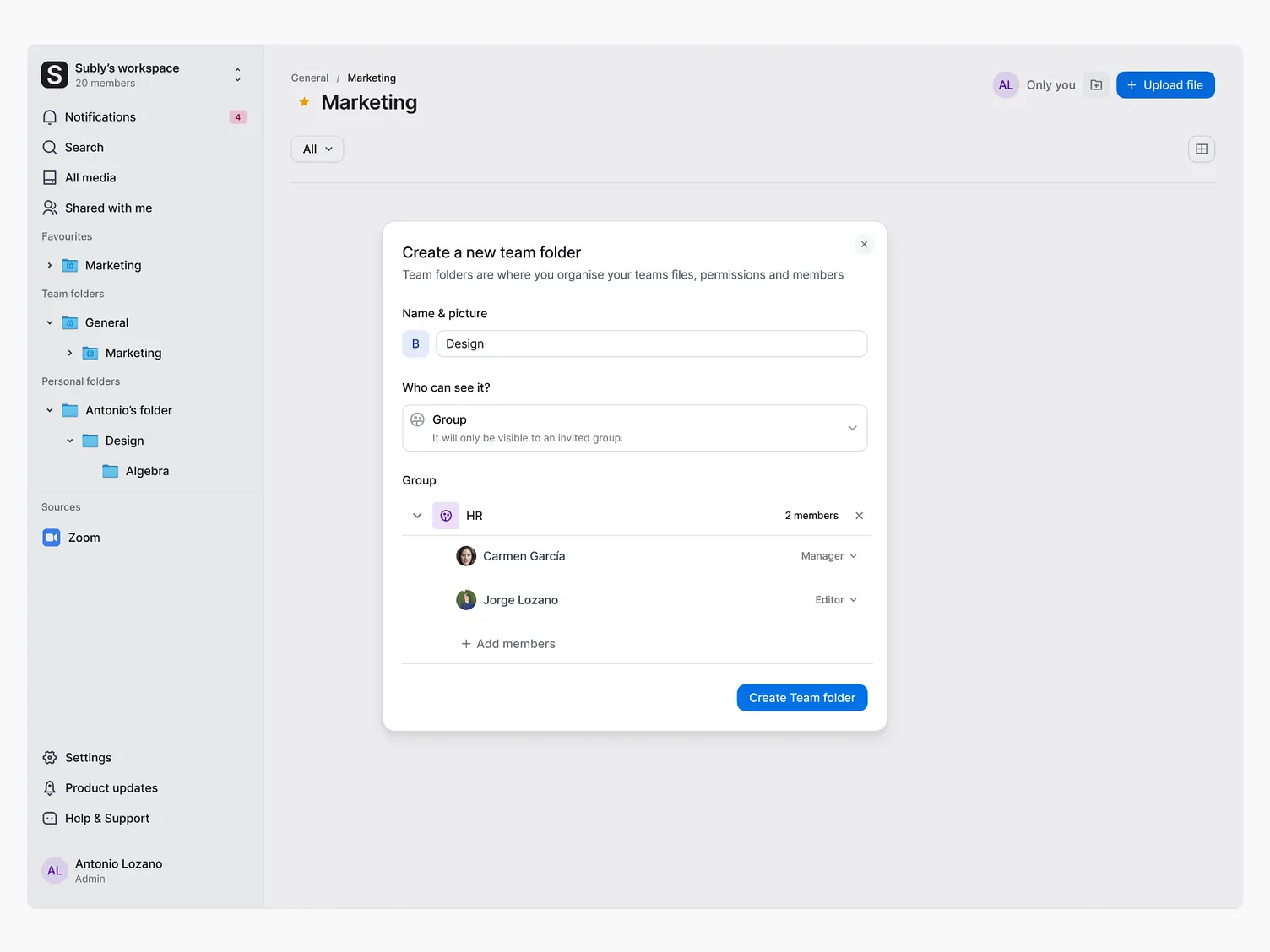
04The group expands to show who is actually in it, and what each of them can do.
Flow two
Deciding what each person can do
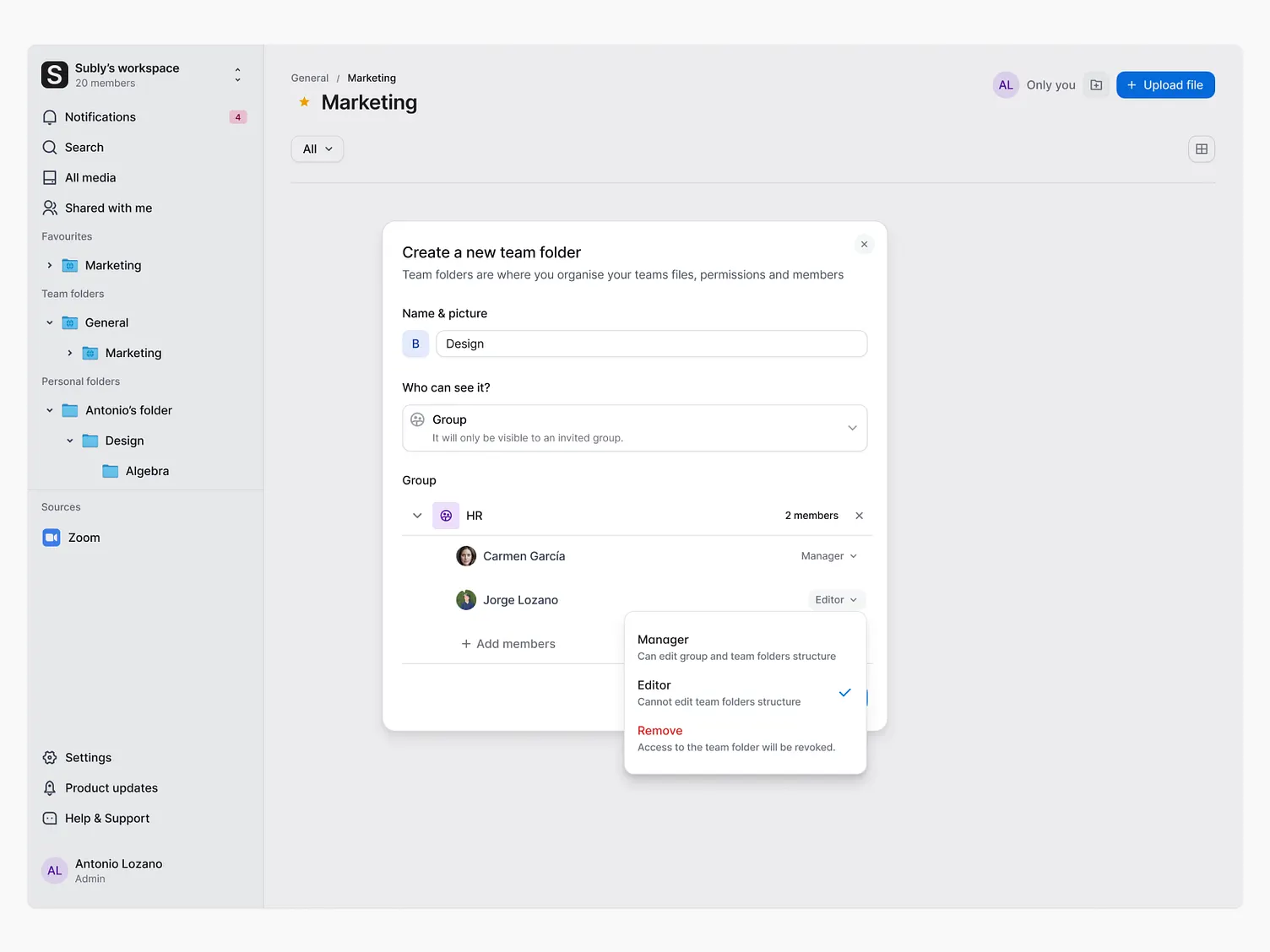
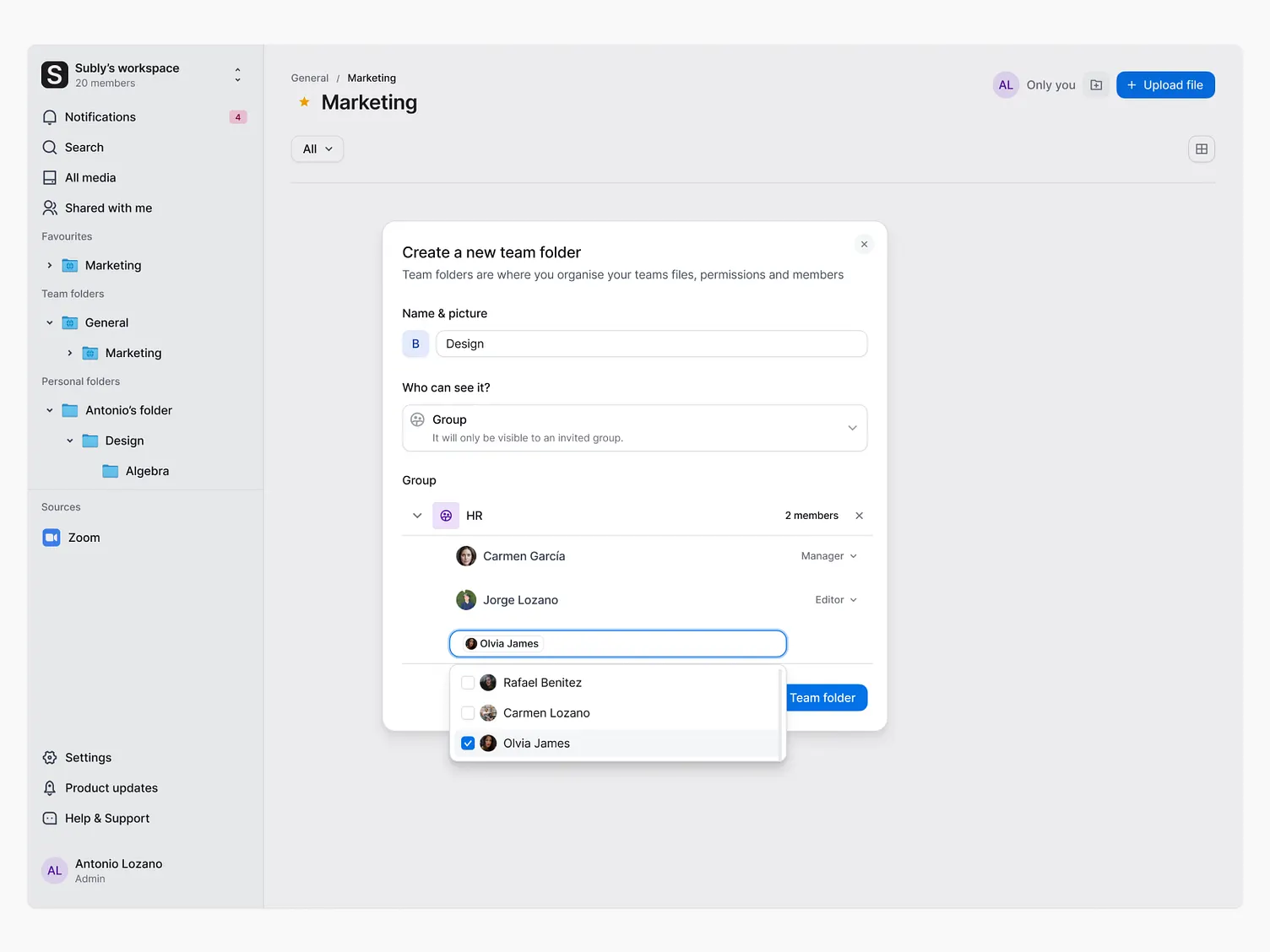
Before this, sharing was all or nothing. Now there are roles, and roles only work if people understand them. Nobody reads a permissions table. So the menu explains itself: what a manager can do sits under the word manager, at the moment you pick it.
01Two members on the folder, each with a role.
02DestructiveRoles carry their consequence in the menu. Manager can edit the group and the folder structure. Editor cannot. Remove is separated and red.
03Adding someone searches the workspace rather than asking for an email.
Flow three
Moving work between teams
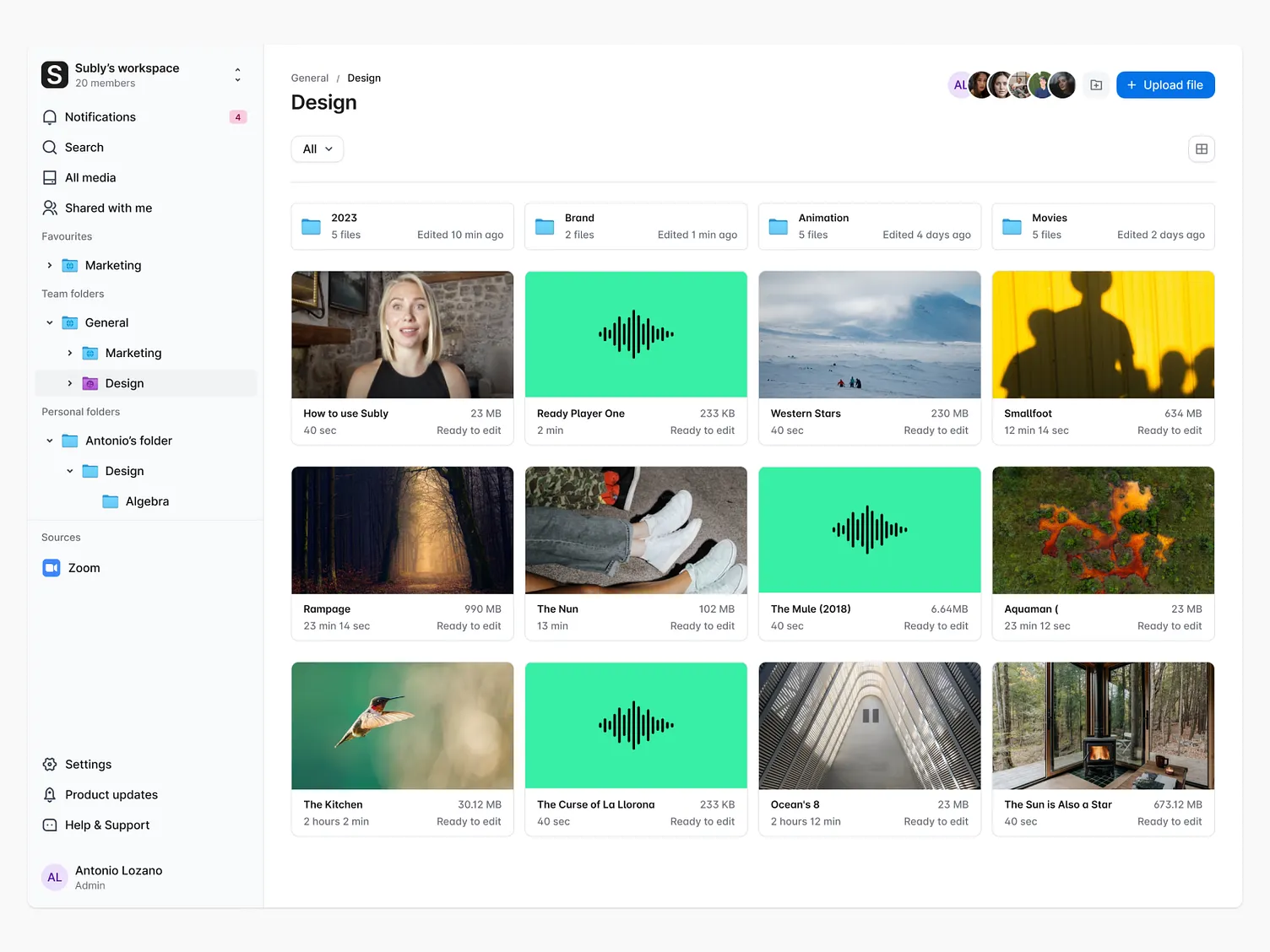
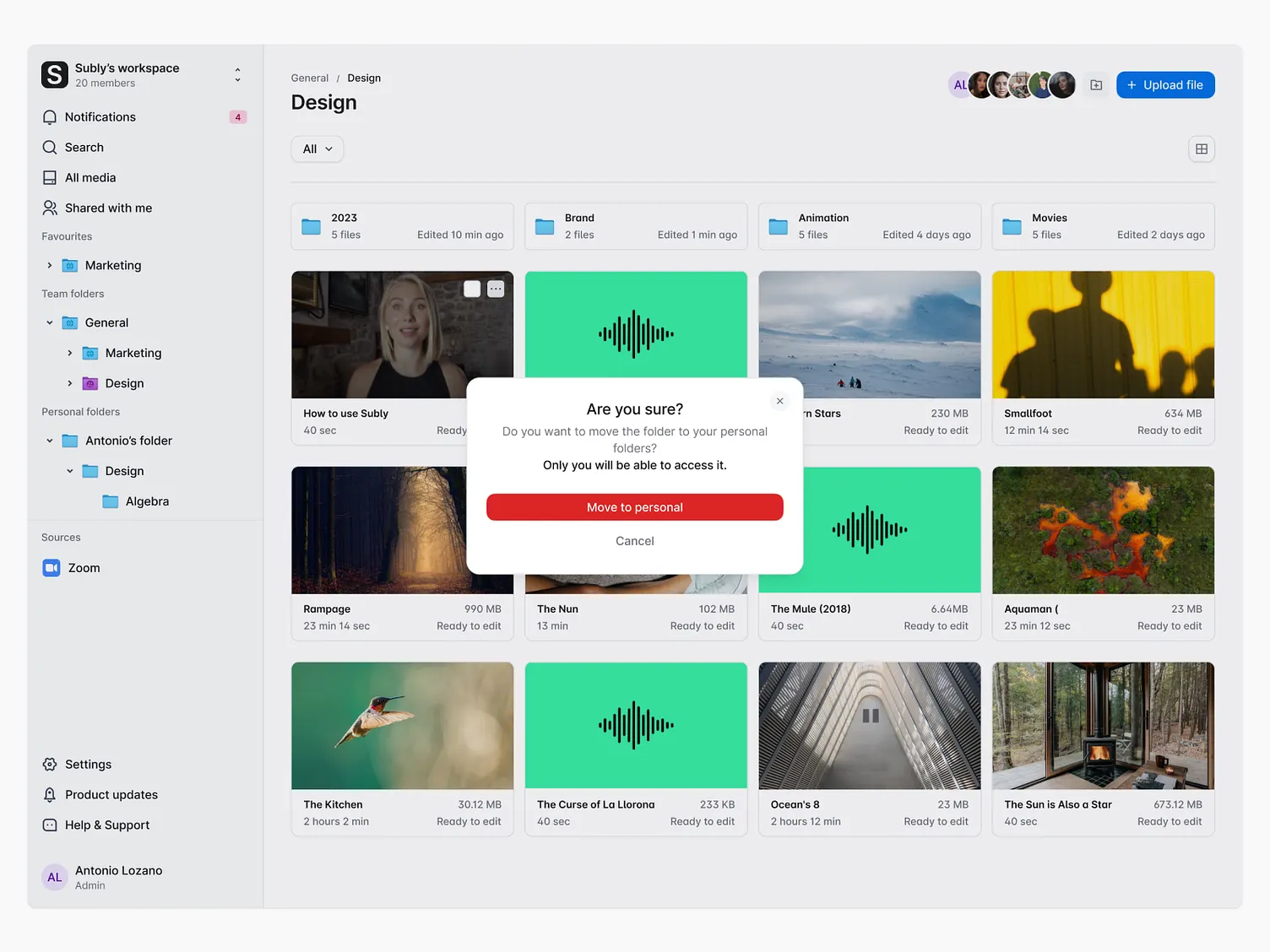
Projects change hands, so files move. Most moves are harmless. One is not: moving a team folder into your personal folders takes it away from everyone else. That is the kind of thing people do once, quickly, and regret.
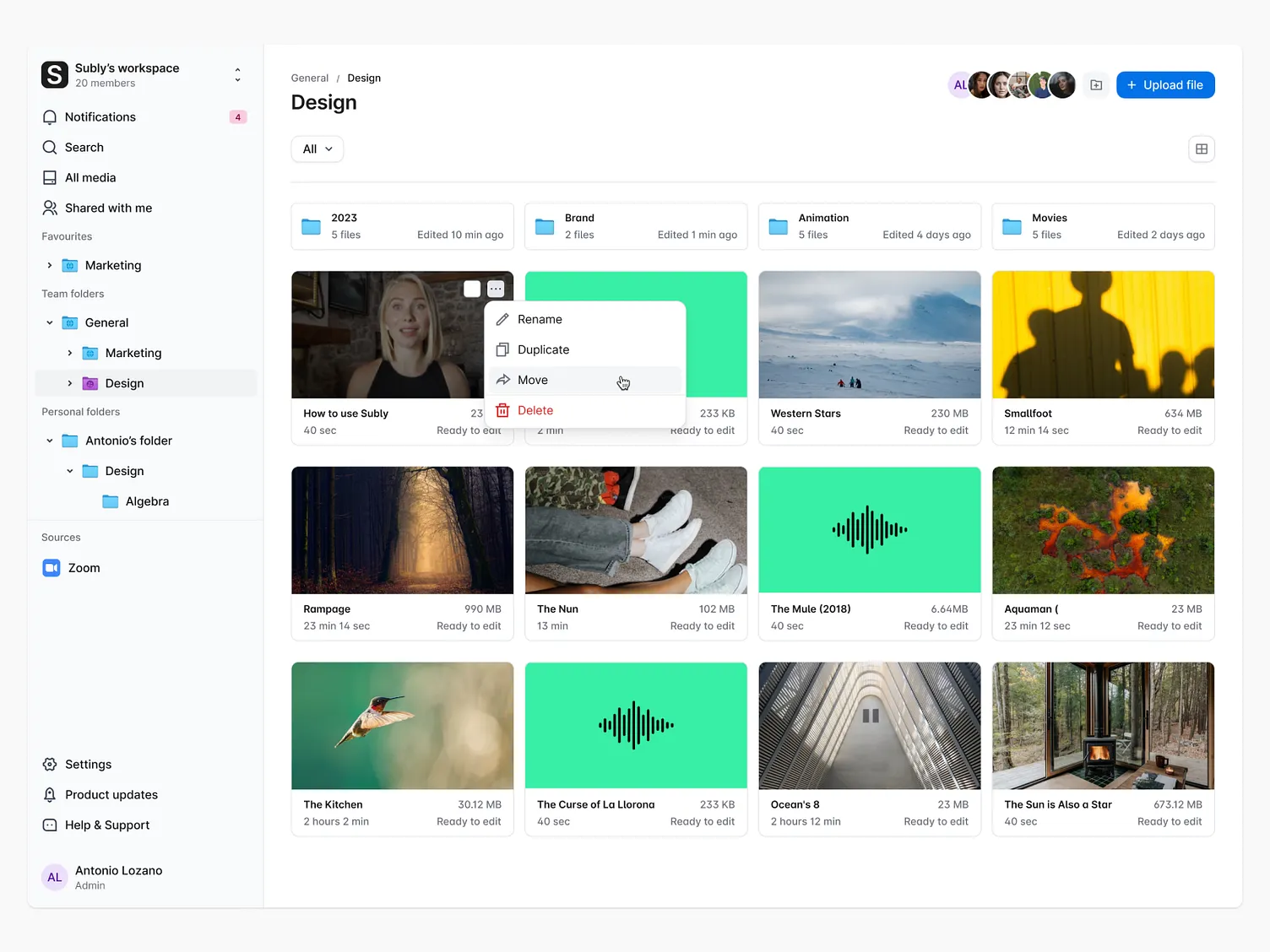
01A department folder with its media.
02The item menu: rename, duplicate, move, delete.
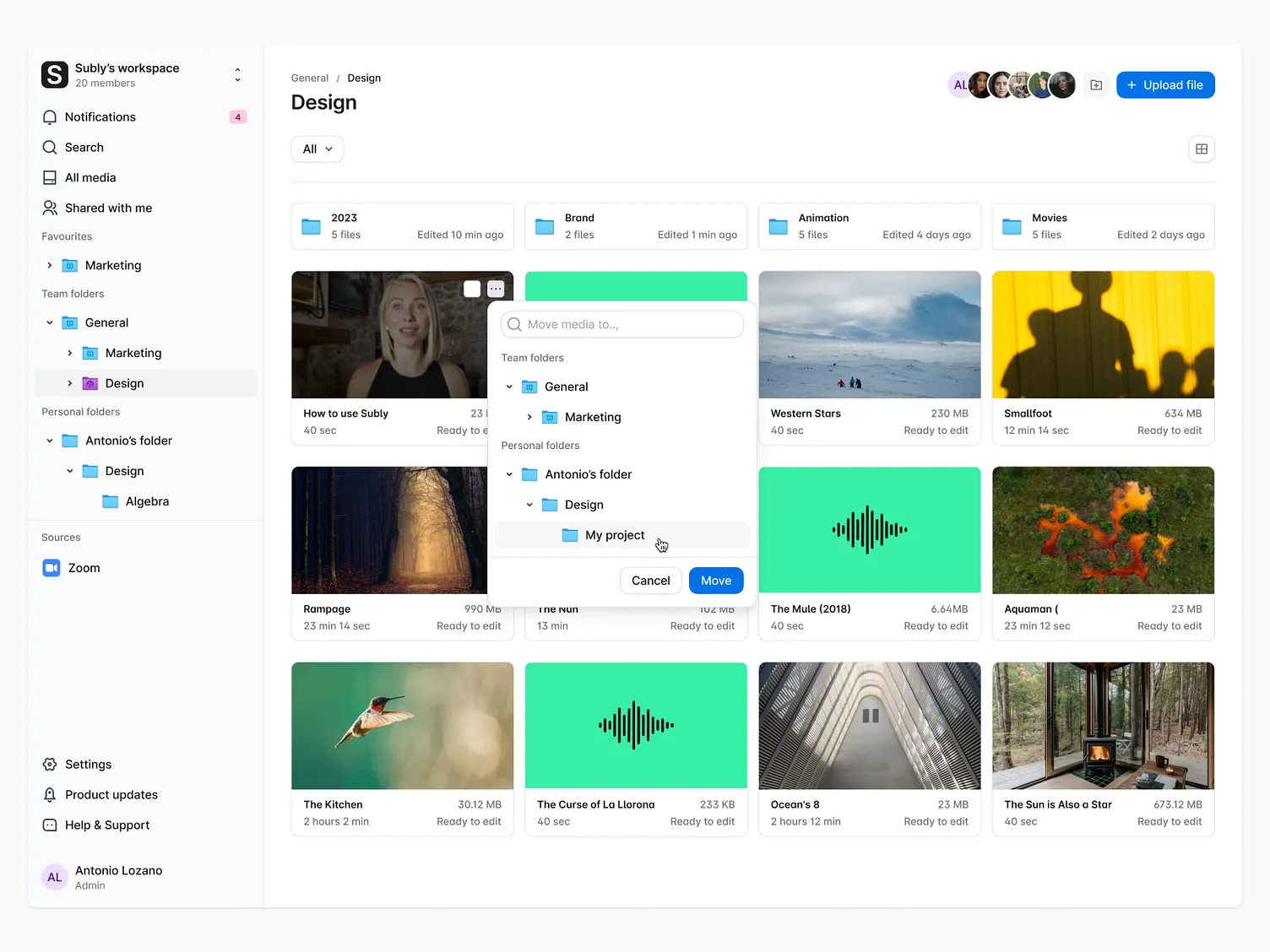
03Move opens the folder tree, including personal folders.
04Validation“Do you want to move this folder to your personal folders? Only you will be able to access it.” The warning names the consequence, not the action.
Outcome
Same charts, ten months apart
These are the dashboards the company already looked at every week. Nothing rebuilt for a portfolio, and nothing averaged into a nicer number. Two of the three targets set at the start were beaten.
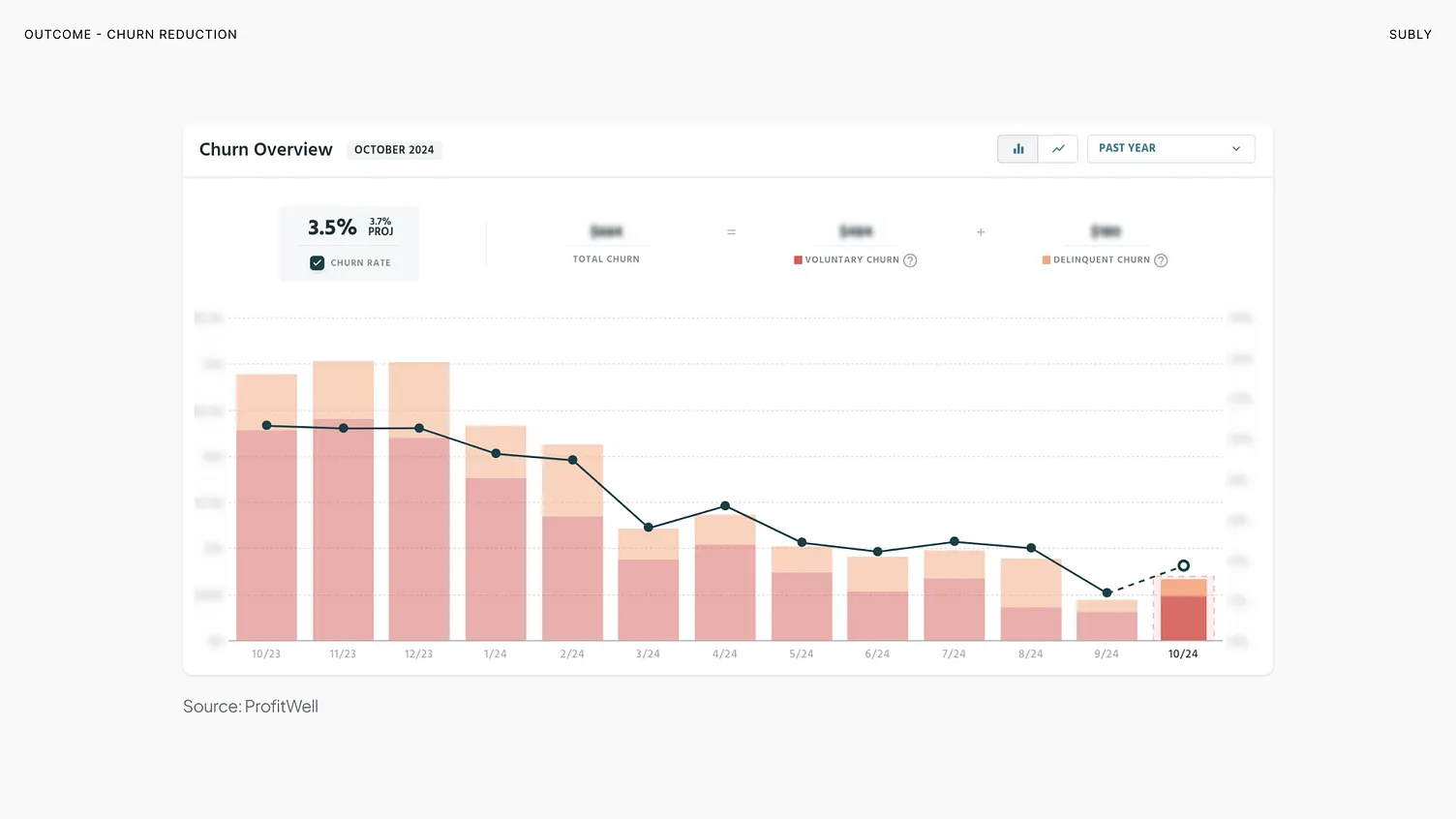
3.5%Monthly churnTarget was below 5%. Down from 10.5%. Source: ProfitWell.
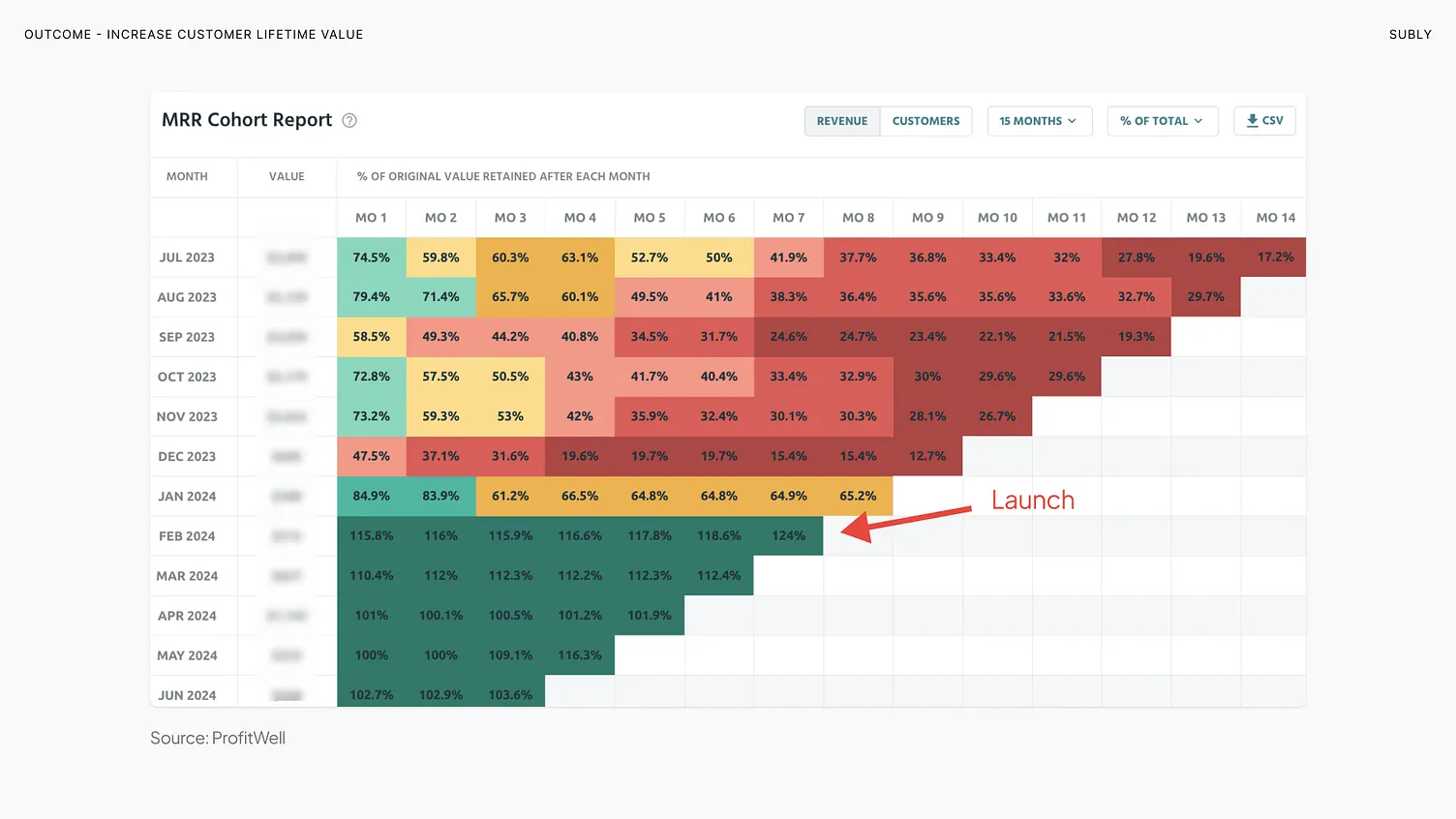
+220%Lifetime valueThe second goal, and the one annual contracts were meant to move. Source: ProfitWell.
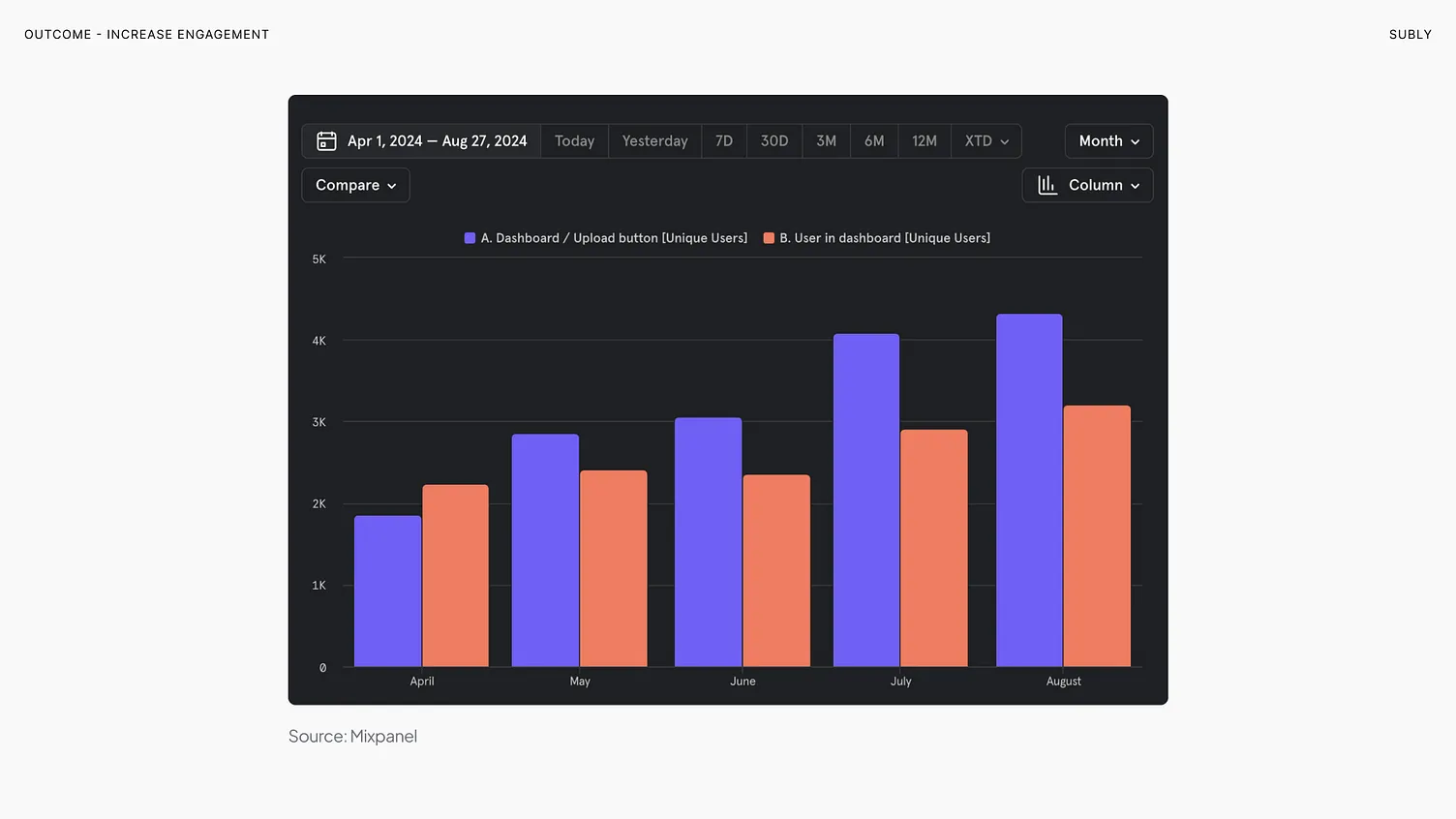
+23%EngagementTarget was 15%. Unique users on the upload button. Source: Mixpanel.
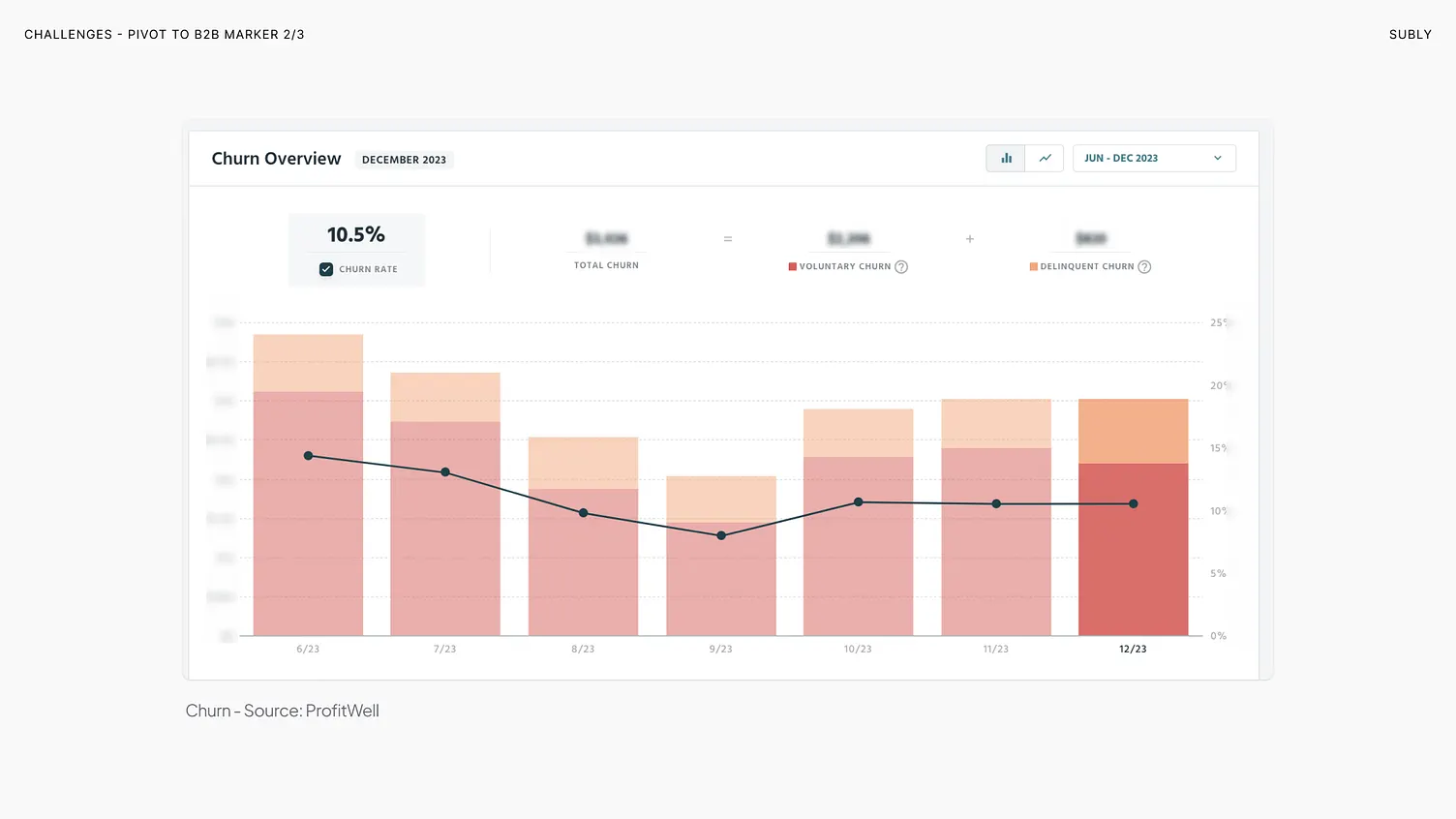
BeforeDec 2023
AfterOct 2024
Monthly churn, 10.5% down to 3.5%. Source: ProfitWell. The line was flat and high. Then it was not.
BeforeDec 2023
AfterJun 2024
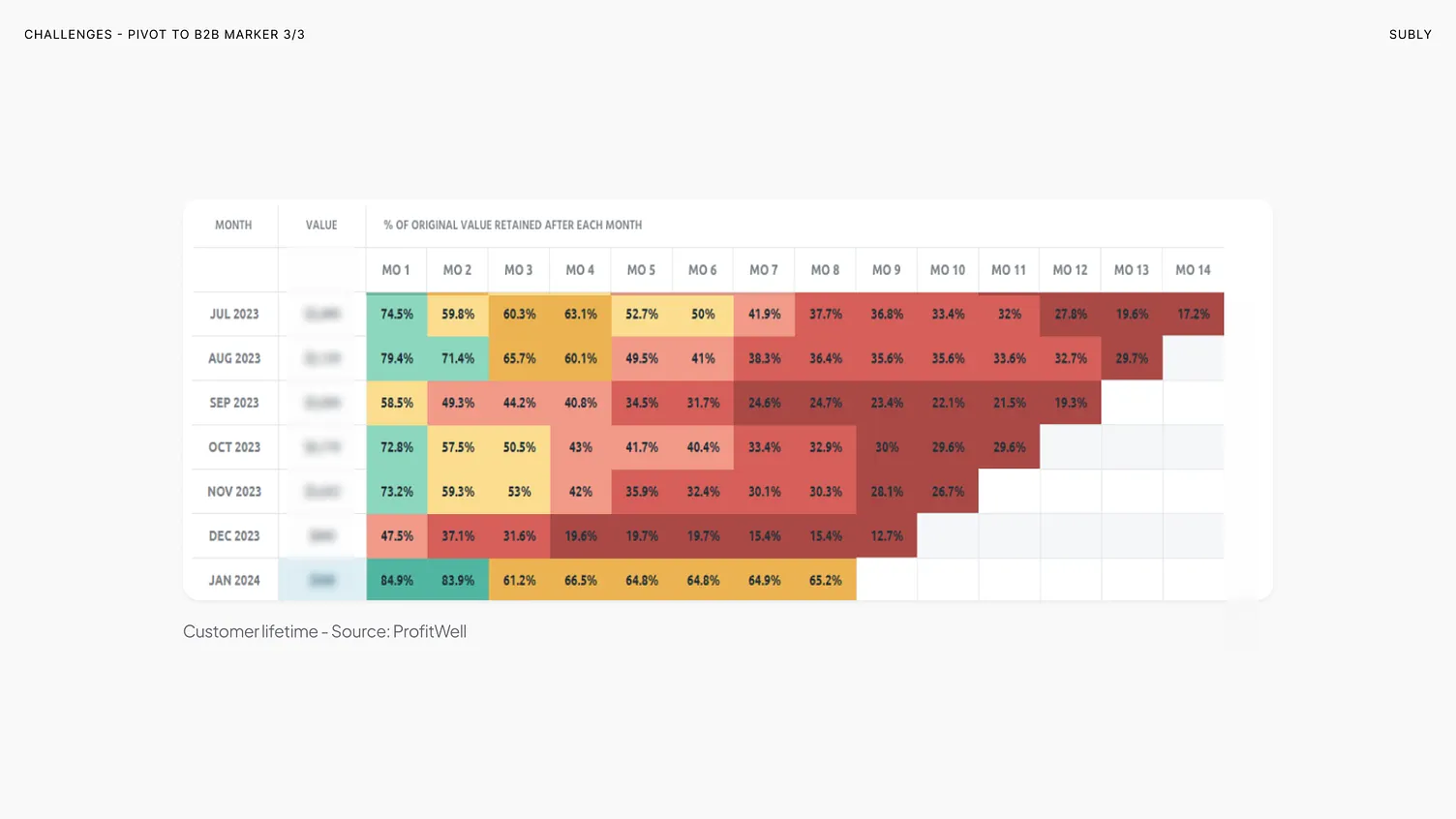
Revenue retained by cohort, month by month. Red is money leaving. The arrow marks the launch of the Enterprise plan, and the rows after it stop going red. Lifetime value up 220%. Source: ProfitWell.
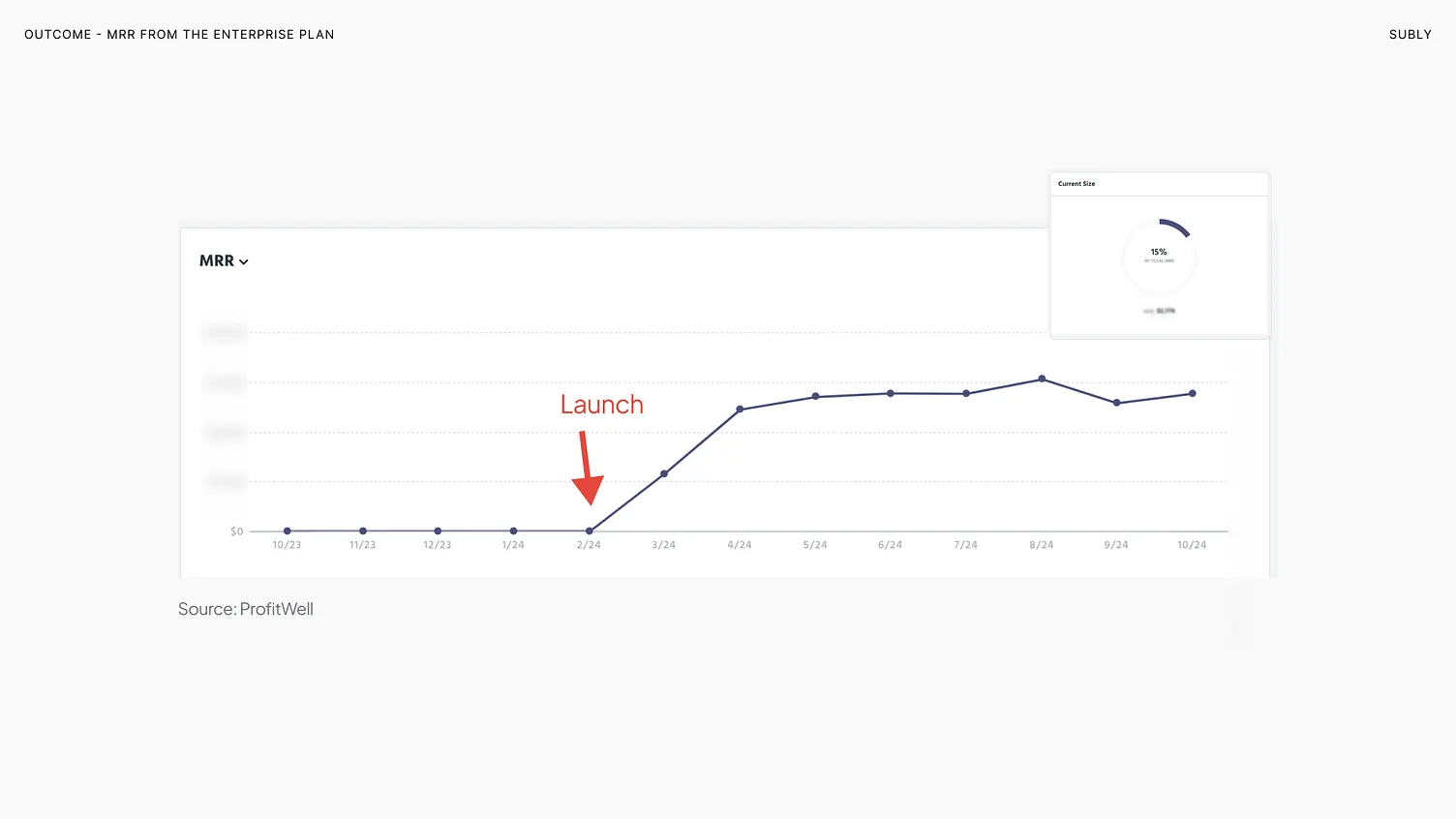
Enterprise MRRProfitWell
EngagementMixpanel
A revenue line that did not exist before, and 23% more unique users hitting upload. Paying for it and then using it are two different things, and this is the second one.
 TeamAnyone in the workspace can open it.
 RestrictedOne group, and nobody else.
 PersonalOnly the person whose folder it is.